Memory & Storage 4 Laptop Sleeves for Slim, Cushioned Protection
P
By the Pickpedia Team
·4 picks compared
·Last verified September 2026
Affiliate disclosure: As an Amazon Associate, Pickpedia earns from qualifying purchases. Links on this page are paid links, and we may earn a commission at no extra cost to you. This never affects our picks or scores.
Quick answer
Pick a sleeve sized to your exact laptop, with padded shock absorption and a front pocket for chargers or a mouse. Slim polyester or neoprene shells suit everyday carry, while corner-reinforced designs guard against knocks. Match the internal dimensions to your machine, then weigh how much padding you actually need.
4 Laptop Sleeves for Slim, Cushioned Protection at a glance
Why you can trust this guide
We compared these picks using verified manufacturer specifications, available manuals and documentation, current retailer listings, and patterns in owner feedback, alongside editorial research. We focus on measurable differences such as performance, capacity, usability, and build quality. Pickpedia does not present editorial research as laboratory testing, and we do not claim hands-on testing unless it was actually performed.
How we chose: We compared four slim laptop sleeves on fit, padding, pocket layout, and how well the shell absorbs everyday bumps.
A good laptop sleeve does one job well, keeping your machine safe when it rides inside a backpack or briefcase. Most shoppers care about a snug fit, padding that absorbs shocks, and a pocket for small accessories. These four options cover slim daily carry through to reinforced, drop-tested protection.
We grounded every note below in each maker's stated specifications and the way owners describe using them. None of these were bench tested by us, so treat measurements as your guide. Check your laptop's exact dimensions against the internal sizing before you commit to any sleeve here.
Our top picks
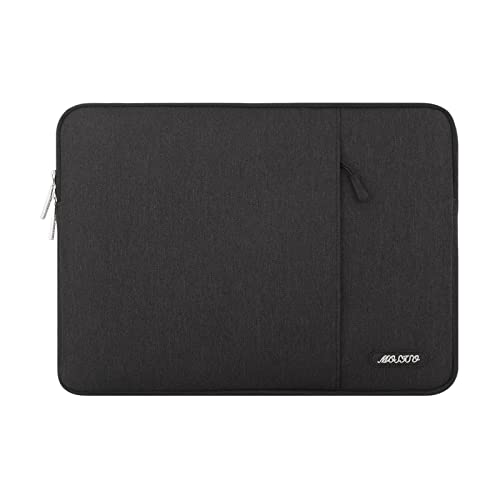
MOSISO pairs a slim polyester shell with foam padding and a fluffy fleece lining, so your device sits cushioned against bumps and scratches. Internal room runs 15.55 by 11.42 inches, and the smooth top zipper opens the main compartment quickly. A tall front pocket swallows a mouse, earphones, pens, or a notepad without adding much bulk. Owners like how easily it slides into a backpack, and the listing covers many 15.6 inch models from HP, Dell, Lenovo, ASUS, and Acer plus larger MacBook Pro sizes. One limitation, the single interior compartment gives no dedicated tablet slot, so a second device rides loose.
MaterialPolyester with foam padding
Internal size15.55 x 11.42 in
Front pocket11.81 x 11.02 in
LiningFluffy fleece
Pros
- Padded fleece lining cushions the whole device
- Roomy front pocket for a mouse and cables
- Slim profile slides into most bags easily
Cons
- Single compartment, no separate tablet slot
- Polyester shell resists water only lightly
Check price on Amazon ›
AREYLO leans on premium neoprene for an ultra slim shape that still shields against dust, bumps, scratches, and minor spills. External measurements land at 15.5 by 11 by 0.8 inches, keeping the sleeve close to the machine. A front pocket holds a charger, adaptor, portable mouse, cards, or a phone, which suits a light packer. Reviewers note the smooth top zipper and casual look that reads fine on a business trip. Compatibility spans many 15.6 inch models from ASUS, Acer, HP, Lenovo, and larger MacBook Pro sizes. The tradeoff, neoprene alone gives thinner impact defense than foam-and-armor designs, so it favors gentle handling.
MaterialNeoprene
External size15.5 x 11 x 0.8 in
Internal size15.2 x 10.8 x 0.7 in
PocketsOne external
Pros
- Stretchy neoprene hugs the laptop snugly
- Very thin profile adds almost no bulk
- Front pocket organizes small daily items
Cons
- Thinner padding than reinforced sleeves
- One pocket limits accessory sorting
Check price on Amazon ›
Ytonet builds around a TSA friendly layout, with double zippers that swing open 90 to 180 degrees so you can leave the laptop inside at security. Water-resistant nylon covers polyester foam padding, guarding against dust, dirt, and scratches. A portable handle lets you carry it solo, and a mesh pocket sorts pens, cables, a mouse, or a phone. Internal room measures 14.6 by 10.6 by 1.6 inches, fitting many 15 to 16 inch laptops from Lenovo, HP, ASUS, Acer, Dell, and larger MacBook Pro sizes. Worth noting, the wide-opening design and handle make it a touch thicker than the slimmest sleeves here.
MaterialWater-resistant nylon
Internal size14.6 x 10.6 x 1.6 in
Opening90 to 180 degree double zip
ExtrasHandle and mesh pocket
Pros
- TSA layout speeds airport screening
- Water-resistant nylon shrugs off light spills
- Carry handle adds standalone portability
Cons
- Slightly bulkier than pure slim sleeves
- Handle adds a little extra weight
Check price on Amazon ›
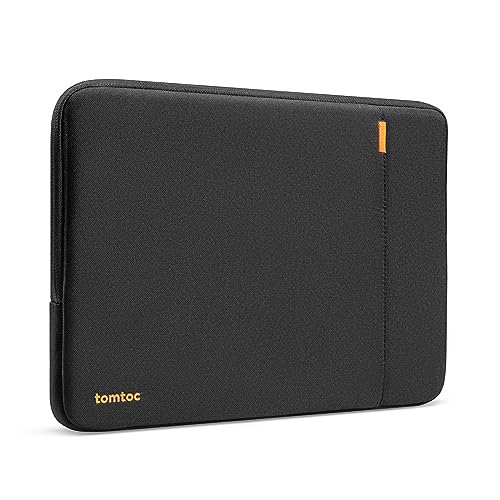
tomtoc aims for the tough end, using CornerArmor corner reinforcement, high-resilience edges, and dense soft padding for 360 degree coverage. The maker states it passed a Military-Standard drop test while keeping a sleek shape. Spill-resistant recycled fabrics, YKK zippers, and a smooth lining lift the overall build quality. A front pocket carries a charger, cable, mouse, or drive, and a strap secures a tracker tag or keys. It fits the 14 inch MacBook Pro precisely, along with select Surface Laptop and Dell XPS sizes. The catch, the snug 14 inch fit and internal 12.31 by 8.71 inch cavity leave no room for larger 15 or 16 inch machines.
ProtectionCornerArmor 360 padding
ZippersYKK spill-resistant
Internal size12.31 x 8.71 x 0.61 in
Warranty12-month coverage
Pros
- Reinforced corners pass a military drop test
- Premium YKK zippers and recycled fabrics
- Strap secures a tracker tag or keys
Cons
- Sized only for 14 inch machines
- Snug fit leaves no growing room
Check price on Amazon ›
What to look for
Measure before you buy
Start with your laptop's exact length, width, and thickness, then match them to a sleeve's internal dimensions. A sleeve cut for a 14 inch machine will not safely hold a 16 inch one, and a loose fit lets the laptop shift. Manufacturers list these numbers for a reason, so read them closely.
Padding and material
Neoprene hugs a device and stays thin, while foam padding with a fleece lining absorbs harder knocks. Reinforced corners and drop-tested shells suit clumsy commutes or crowded trains. Decide how rough your daily handling gets, then pick a shell that matches that reality rather than over-buying protection you never use.
Pockets and organization
A single front pocket keeps a charger, mouse, and cables together so you can travel with just the sleeve. Mesh dividers sort smaller items, and a strap can hold keys or a tracker tag. More pockets add convenience but a touch of bulk, so weigh how much you actually carry.
Travel features
TSA friendly sleeves open wide at security, letting the laptop stay inside as it rides the scanner. Water-resistant nylon shields against light rain and spills, and a carry handle turns a sleeve into a standalone bag. If you fly often, these details save real time and hassle at the gate.
Frequently asked questions
How do I know a sleeve will fit my laptop?
Check your laptop's length, width, and thickness against the sleeve's internal dimensions, not just the screen size. Two machines with the same screen can differ in body size. When numbers sit close, size up slightly rather than forcing a tight fit.
Is neoprene or foam padding better?
Neoprene stays slim and hugs the device, which suits gentle handling and minimalists. Foam padding with a fleece lining absorbs harder impacts and protects against drops. Choose based on how rough your commute is, since each material trades bulk for protection differently.
What does TSA friendly mean for a sleeve?
A TSA friendly sleeve opens wide, often 90 to 180 degrees, so airport screeners can view the laptop without you removing it. That speeds up security lines. The Ytonet case here uses double zippers built for exactly this kind of quick access.
Can a laptop sleeve go inside a backpack?
Yes, most slim sleeves are designed to slide into a backpack or briefcase for a second layer of protection. That combination guards against both drops and everyday jostling. Thinner neoprene and polyester options fit inside a bag with the least added bulk.
Do these sleeves protect against water?
Some do to a degree. Water-resistant nylon and spill-resistant fabrics shrug off light rain and small spills, but no sleeve here is fully waterproof. Wipe spills quickly and avoid submerging the sleeve, since seams and zippers can still let moisture through.
Which sleeve offers the most drop protection?
The tomtoc leads on impact defense, using reinforced corners and dense padding for full coverage and a stated military drop test pass. If you routinely knock your bag around, that reinforced build gives more peace of mind than a plain slim shell.
Will a 15.6 inch sleeve fit a 16 inch laptop?
Often yes, since several of these list compatibility across 15 to 16 inch machines. Still, confirm the internal dimensions, because a 16 inch body can be wider than a 15.6 inch one. A snug but not straining fit is what you want.
Do laptop sleeves come with warranties?
Coverage varies by brand. The tomtoc includes a 12-month worry-free warranty and customer support, while simpler sleeves may rely on the retailer's standard return window. Check the listing for any stated warranty before you buy if long-term support matters to you.
The verdict
MOSISO Laptop Case 16 inch, 15-15.6 inch L...
9.1/10
For most people, the MOSISO earns the top spot with its padded fleece lining, roomy pocket, and slim daily carry across 15 to 16 inch laptops. Travelers should lean toward the Ytonet for its TSA opening and water-resistant nylon. The AREYLO suits minimalists who want the thinnest possible neoprene shield. MacBook owners chasing maximum drop protection will get it from the reinforced tomtoc, provided their machine is the 14 inch size.
Check price on Amazon ›
Our top pick, secure checkout via Amazon
Note: Availability and specifications change often. Always confirm the current details on Amazon before buying.