SOLAKAKA SM822 Wireless Gaming Mouse with Magnetic Charging Dock, White Review
A light tri-mode wireless mouse with a PAW3311 sensor and a magnetic RGB dock that also holds the receiver
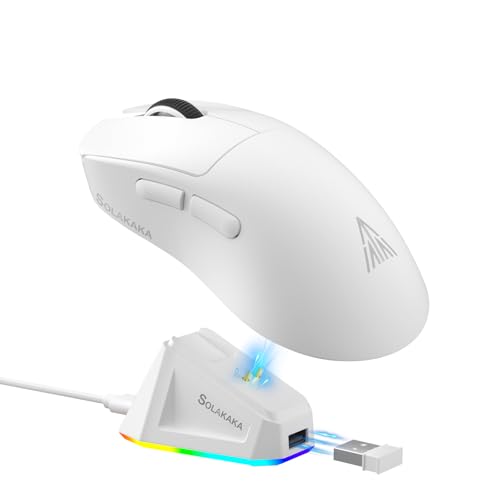
| Connection | 2.4GHz receiver, BT5.0, USB-C wired |
|---|---|
| Sensor | PAW3311 optical |
| Tracking speed | 300 IPS |
| Response rate | 1000Hz |
| Maximum DPI | 24,000 |
| Mouse weight | 62 grams |
| Best for | Players and desk workers who switch between a laptop and a PC and want a light mouse that charges on a dock |
Product Overview
The SOLAKAKA SM822 is a tri-mode wireless gaming mouse. It connects through a 2.4GHz receiver, through BT5.0, or by USB-C cable, and the listing says it works with Windows, Mac, iOS and Android.
The sensor is a PAW3311 optical unit rated for 300 IPS tracking, 35G acceleration and a 1000Hz response rate. Six DPI steps are preset (800, 1600, 2400, 3200, 6500 and 12000), and the software can fine tune them and raise the ceiling to 24,000.
The standout extra is the magnetic dock. It lights up in RGB, charges the mouse, and has a slot where the USB receiver can sit, so the dongle is never loose in a bag.
At 62 grams the shell sits in the light class, and it has five programmable buttons including forward and back keys on the left side.
Score Breakdown
This verdict is based on the manufacturer's stated specifications, the current Amazon listing and its product images, the confirmed materials and design, real buyer ratings, and our research into the product category. Scores are consistent editorial judgments, not laboratory measurements, and we did not receive a paid sample.
Key Features
2.4GHz, BT5.0 and USB-C wired.
300 IPS tracking and a 1000Hz response rate.
RGB base that also holds the receiver.
Light body with a tapered waist grip.
Macros, DPI and polling rate in the driver.
Windows, Mac, iOS and Android.
Design and Build Quality
The shape is tapered at the waist so the palm has a stable point of contact, and the top is contoured to follow the hand. The listing frames this as a way to reduce wrist strain over long sessions, which is a fair design aim, though comfort depends on your grip and hand size.
The data lists the unit weight as 0.49 pounds, which probably includes packaging or the dock, since the maker quotes 62 grams for the mouse itself. Treat the 62 grams as the figure for the mouse alone.
The white finish looks clean on a light desk, but light plastics tend to show hand oils sooner than dark ones.
Performance in Everyday Use
On paper the sensor numbers are solid for casual and mid-level competitive play. A 1000Hz response rate is the common standard for wireless gaming mice, and the 300 IPS rating means quick flicks should not make the cursor lose track.
The 24,000 DPI ceiling is mostly a headline figure. Most players settle in the low thousands, and the six preset steps cover that range without opening the software.
The dock design solves a real annoyance. Placing the receiver in the base and switching to 2.4GHz keeps the dongle close and avoids repeated plugging and unplugging. Battery life is not given in the listing, so we cannot say how often the dock is needed.
How It Performs: The Evidence
| Decision factor | What we found | Evidence and measurement | Score | Why it matters |
|---|---|---|---|---|
| Sensor | PAW3311, 300 IPS | Rating in the listing | 8.6 | Tracks fast movement |
| Response rate | 1000Hz | Rating in the listing | 8.4 | Standard for gaming |
| Connectivity | 2.4GHz, BT5.0, USB-C | Listed modes | 9.0 | Works with many devices |
| Weight | 62 grams | Maker figure | 8.6 | Less fatigue |
| Dock | Magnetic, RGB, receiver slot | Listing description | 8.8 | Tidy charging |
| Software | Windows only | Maker note | 6.6 | Limits Mac setup |
| Battery information | Not stated | Missing from listing | 6.4 | Runtime unknown |
Who Should Buy It
- Casual and mid-level gamers
- Laptop users who travel
- Office desk work
- Players who want a light mouse
- Multi-device users
- Desk setups with limited ports
- Mac-only users who want full driver control, or anyone who prefers a larger palm-fill shell
- Configuration software supports Windows only
- Battery life is not stated in the listing
- White shell may show marks over time
- The 24,000 DPI ceiling is of little use to most players
- Small, light shell may not suit large palm grips
Full Specifications
How It Compares
| Feature | SOLAKAKA | Typical option | Higher-tier option |
|---|---|---|---|
| Connection | Tri-mode | Single receiver | Dual-mode |
| Charging | Magnetic dock | Cable only | Cable only |
| Weight class | Light | Medium | Light |
| Receiver storage | In the dock | In the mouse | In the mouse |
| Software | Windows only | Windows only | Windows and Mac |
| Lighting | RGB on the dock | None | RGB on the mouse |
More Wireless Gaming Mice Reviews
Alternatives Worth a Look
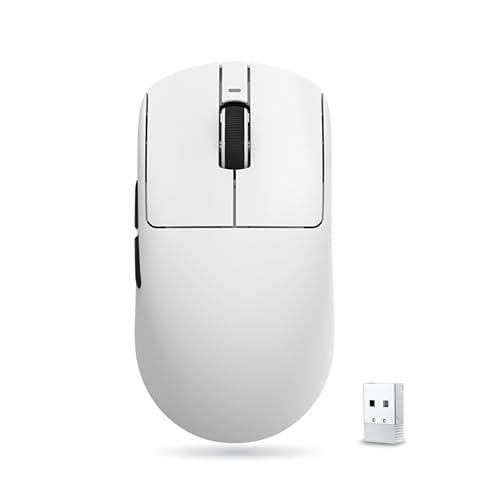
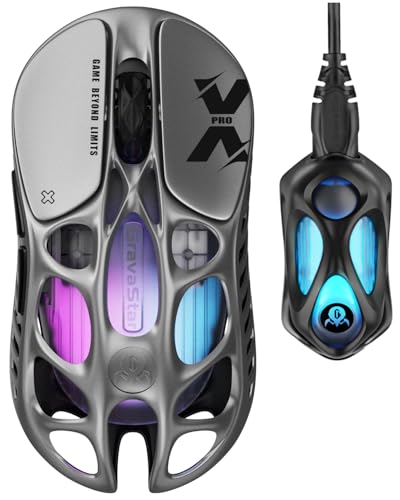

The SM822 is a practical light wireless mouse with a handy dock and flexible connectivity. Check that you are happy with Windows-only software before buying.
Frequently Asked Questions
How does it connect?
By 2.4GHz receiver, BT5.0 or USB-C wired.
How light is it?
The maker quotes 62 grams for the mouse.
What is the top DPI?
The software can raise it to 24,000.
How many buttons can be programmed?
Five.
Does the software work on Mac?
No, the maker says the software supports Windows only.
What does the dock do?
It charges the mouse, lights up in RGB and holds the USB receiver.
Which sensor does it use?
A PAW3311 optical sensor.
This review is based on the product listing and manufacturer data, along with our own research on wireless gaming mice. It is not based on independent testing. Scores are editorial judgments built from the details the listing provides, such as the sensor, connection modes and weight, and should be read as a comparison with typical alternatives rather than as measured results.