Home ›
Video & Audio › Why Leaning Into a Microphone Adds Bass and No Treble
Video & Audio
Why Leaning Into a Microphone Adds Bass and No Treble
PBy the Pickpedia Team·5 picks compared·Last verified October 2026
Affiliate disclosure: As an Amazon Associate, Pickpedia earns from qualifying purchases. Links on this page are paid links, and we may earn a commission at no extra cost to you. This never affects our picks or scores.
This page contains affiliate links. If you buy through one we may earn a
commission, at no cost to you.
Your voice does not get deeper, and that is worth starting with, because it points
at where the answer is. Nothing about you changes when you lean in. What changes is
the microphone's response, by an amount that depends steeply on frequency and on
distance, and the amount is large: moving from 12 inches to 2 inches adds about 14.4
decibels at 100 hertz and about 0.3 of a decibel at 4 kilohertz. The low end comes up
by a factor of 27 in power and the consonants do not move. That is the boom, and it
is not the microphone being bad. It is the directionality you paid for, arriving as a
side effect.
Two kinds of microphone, and only one of them has this problem
A microphone has to pick one of two things to measure, and the choice decides
everything that follows.
A pressure microphone has a sealed back. The diaphragm feels the sound pressure on
its front face and nothing else, so its output follows the pressure at that one point
in space. Pressure is a scalar with no direction in it, so a pressure microphone
cannot tell where a sound came from. That is an omnidirectional capsule, and it is
the simplest microphone there is.
A pressure gradient microphone is open at the back. The diaphragm feels the
pressure on both faces and responds to the difference between them, which is to say
to the pressure gradient along its axis. A gradient is a vector, so this microphone
can tell direction, and all the patterns anyone sells, cardioid, supercardioid,
hypercardioid, figure of eight, are made by mixing a pressure response and a gradient
response in different proportions. Every bit of directionality in every microphone on
the market comes from that gradient term. There is no other way to get it.
The tilt, and the correction that causes the problem
Here is the part that is usually told wrong, including in my own first notes for
this page.
Take a sound wave arriving from a long way off, which is effectively a plane wave.
The pressure varies sinusoidally in space, so its spatial derivative is proportional
to the spatial frequency, which is proportional to the frequency of the sound. So a
gradient microphone's raw output rises at 6 decibels per octave: at 1 kilohertz it
produces ten times the voltage it produces at 100 hertz for the same sound pressure.
Left alone, a directional microphone would be almost unusable, with no bass at
all.
So it is not left alone. The capsule is deliberately built so that the diaphragm's
motion is mass controlled rather than stiffness controlled across the working band,
and a mass controlled diaphragm's velocity falls at 6 decibels per octave for a given
driving force. The rising gradient and the falling diaphragm response cancel exactly,
and the output comes out flat. That cancellation is fixed in the metalwork. It is not
adaptive and it does not know how far away you are.
Now bring the source close. A source nearby is not a plane wave, it is a spherical
one, and the pressure of a spherical wave falls as one over the distance as well as
oscillating in space. So the radial derivative has two terms, not one: the usual
oscillation term, which is proportional to frequency, plus a new term from the
amplitude falling off, which is proportional to one over the distance and does not
depend on frequency at all. The magnitude of the gradient relative to the far field
case comes out as the square root of one plus the square of the speed of sound divided
by two pi times frequency times distance.
Read that expression and the whole effect falls out. When the frequency is high or
the distance is large, the second term is negligible and the gradient behaves as the
far field one did, so the built in correction is right and the response is flat. When
the frequency is low and the distance is small, the second term dominates, the
gradient is far larger than the fixed correction expects, and the correction
overcompensates. The excess appears as boosted bass.
So the proximity effect is not the comparison being frequency dependent. It is a
fixed compensation for a far field tilt, being applied to a near field signal that no
longer has that tilt. Which also explains, in one line, why an omnidirectional
capsule has none: it measures pressure, there is nothing to compensate, so there is
nothing to overcompensate. A lavalier can sit an inch from a collar and sound exactly
as it would at a foot.
Computed from the near field pressure gradient of a point source, as 10 log10(1 plus
(c over 2 pi f r) squared) with the speed of sound at 343 metres per second. No
microphone listing we carry publishes a frequency response plot or a polar pattern,
so these are worked figures for an ideal first order gradient capsule rather than a
measurement of any particular microphone.
Why the boom is worse than it sounds
Put the numbers next to a voice and the effect is not simply a tonal preference.
A speaking voice puts its fundamental between about 85 and 155 hertz for most men
and 165 to 255 for most women. The consonants that carry intelligibility, the
sibilants and the stops, live between about 2 and 5 kilohertz. Those two bands are
shaded in the drawing, and the point of shading them is that the boost is enormous
inside one and nothing inside the other.
At 2 inches a directional microphone adds 20.7 decibels at 100 hertz, 14.8 at 200,
7.5 at 500, 3.3 at 1 kilohertz and 0.3 at 4. At 12 inches those become 6.2, 2.6, 0.5,
0.14 and effectively zero. So moving in by ten inches tilts the voice by 14 decibels
across the span from fundamental to consonant, which in power terms is a factor of
25. The voice gets louder and less intelligible in the same movement, which is why
close microphone technique sounds impressive on a single word and exhausting over a
paragraph.
It also explains the second complaint, the one about sounding raspy as well as
boomy. A plosive, the puff of air on a P or a B, is not sound at all. It is a slug of
moving air hitting the diaphragm, and a gradient capsule is far more sensitive to it
than a pressure capsule, because the moving air produces a pressure difference across
the two faces directly. Combine that with 20 decibels of gain at the frequencies where
the thump lands and you get the familiar overload on consonants while the rest of the
sentence is fine.
Three things that are really going on, kept separate
Three distinct effects get blamed on each other in this category, and the
distinction matters because they have three different fixes.
The first is the proximity effect above, which is about distance, affects only
directional microphones, and is fixed by moving back.
The second is off axis colouration, and it is specifically a shotgun problem. A
shotgun gets its narrow pattern from an interference tube, a slotted tube in front of
the capsule. Sound arriving from the side enters at many slots at once with different
path lengths and partly cancels, which is the rejection you wanted. But the
cancellation depends on wavelength, so sound from the side is not merely quieter, it
is tonally mangled, and differently mangled at every angle. That is what makes a
shotgun sound strange when a speaker turns their head, and no amount of repositioning
the speaker fixes it; you point the microphone instead.
The third is distance itself, acting on noise rather than tone. Sound pressure
halves every time you double the distance, which is 6 decibels, and that applies
equally to every microphone. So backing a directional microphone off from 2 inches to
12 inches to cure the boom also throws away 15.6 decibels of level. Those 15.6
decibels have to come from somewhere, and where they come from is the gap between your
voice and the room.
Which is the trade no listing frames. An omnidirectional capsule has no proximity
effect, so you can put it as close as you like, but it also has no rejection, so it
hears the room equally in every direction and is only usable because it is close. A
directional capsule rejects the room, which is why it can work at a distance, and the
closer you bring it the more it colours. The two microphones are solving the same
problem from opposite ends, and neither one gives you both.
What our own listings publish, which is almost nothing
Start with the honest end. A
Rode VideoMicro compact on
camera microphone is 80 millimetres long and 42 grams, needs no battery and draws
plug in power from the camera, and ships with a shoe mount, a windscreen and a patch
cable. Its record is unusually clear about what it lacks, listing no gain or low cut
controls, that it is not as directional as larger shotguns, and that it may pick up
handling noise if it is not mounted properly.
The absent low cut matters more than it looks. The standard studio answer to a
proximity boost is a high pass filter, and this microphone does not have one. But look
again at what a filter could do if it did: a high pass at 100 hertz takes off the left
edge of the problem and leaves 7.5 decibels of boost still standing at 500 hertz,
inside the vowels, where no filter can touch it without hollowing out the voice
entirely. So the missing control is not the limitation it looks like, and the absence
of it is honest about where the real fix lives. Also worth saying: the drawback that
it is not as directional as larger shotguns is, for this effect, an advantage, because
a weaker gradient component means a weaker proximity effect. Full record in our
Rode VideoMicro
review.
A
Rode VideoMic GO II-H
shotgun microphone bundle is the other end of the same design, publishing a
supercardioid pattern produced by an annular line tube, a self noise figure of 15
decibels A weighted, and dual outputs on 3.5 millimetre and USB-C. Supercardioid means
a higher proportion of gradient in the mix, which means a tighter pattern and more
rejection, and by the argument above it also means a stronger proximity effect and
more off axis colouration. Those are not three features and a flaw. They are one
design decision seen four ways. Its record names the self noise as a drawback, which
is fair, and that figure is doing separate work in our companion page on bit depth.
Details in our
Rode VideoMic GO
II-H review, and the category is in
our shotgun microphones guide,
which is right that a tight pattern pushes away room echo and side chatter, and never
mentions what it does up close.
Then the lavaliers, where the useful property is the one nobody prints. A
BOYA mini 2 wireless
lavalier microphone publishes a 5 gram transmitter, 48 kilohertz at 24 bit,
adaptive noise cancellation, a limiter and a safety track. A
tongyu J3 wireless lavalier
microphone publishes a 2.4 gigahertz plug and play link, a noise reduction chip,
real time ear monitoring and up to 8 hours of battery. A
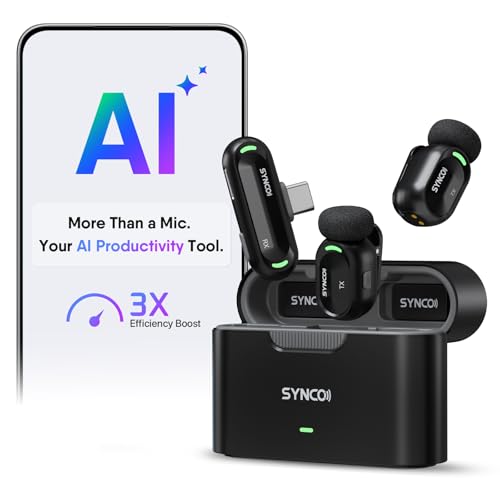
SYNCO AI mini wireless
lavalier microphone publishes noise reduction, voice enhancement and automatic
voice levelling over a USB-C receiver.
Not one of the three publishes a polar pattern. Which is the gap, because for a
lavalier the pattern is the whole reason it works: an omnidirectional capsule clipped
to a collar sounds the same whether the speaker's chin is up or down, whether the
clothing has shifted an inch, and whether they turn to the left. A directional capsule
at that distance would change tone with every one of those, and no amount of noise
processing would hide it. The consistency people like about lavaliers is a property
nobody lists. Records are in our
BOYA mini 2 review, our
tongyu J3 review and our
SYNCO AI mini
review.
One honest caution about all three, and their own records raise it. Each of them
puts a processor in the signal path, variously described as a noise reduction chip,
adaptive noise cancellation or automatic voice levelling. Automatic levelling in
particular is a gain that moves while you speak, and the artefact is the opposite of a
proximity effect: instead of the tone changing with distance, the level changes with
content, so the room noise rises in the pauses and drops under the words. The BOYA
record is honest that noise cancellation reduces rather than eliminates background
noise, the SYNCO record says it is an aid and not magic in extreme noise, and the
tongyu record says it is not studio grade. All three are the right caveat. The one
nobody adds is that this processing happens before recording and cannot be undone
afterwards.
Two of our own pages, one right for the wrong reason and one incomplete
Our
microphones for cameras guide says:
"Wireless lavaliers, on the other hand, are omnidirectional and pick up sound from
all directions, which is great for capturing natural speech when the mic is clipped to
clothing."
The fact is correct and the reason is upside down. Picking up sound from all
directions is a lavalier's chief disadvantage, not its advantage: it is why a lavalier
hears the air conditioning, the room reflections and the person sitting next to you,
and why it only works because it is a few inches from the mouth. The real benefit of
the omnidirectional pattern is the one the sentence skips, which is tonal stability.
No gradient, no proximity effect, so the sound does not change when the geometry does,
and the geometry on a clipped microphone changes constantly.
Our
guide
to getting great audio for video content has the more consequential gap. It says
"Get the mic close to the sound source, since that is the whole point of a lav", and
it is right, and it is the single most useful piece of advice on the page. But it sits
in a section that covers lavaliers, shotguns and desktop microphones together, and the
advice is unconditionally right for the first and conditionally wrong for the other
two. Get an omnidirectional lavalier close and you gain level with no penalty. Get a
supercardioid shotgun or a studio condenser that close and you gain level and 14
decibels of bass tilt. The correction is one clause: get the microphone close, and if
it is directional, no closer than about 8 inches unless you want the colouration. Both
pages are otherwise sound, and the second is right about the thing that matters most,
which is that distance beats equipment.
Problems in our own records
Two worth reporting.
The first is the total absence of the one specification this entire question turns
on. Across all nine microphone and recorder products we publish, exactly one, the
VideoMic GO II-H, names a polar pattern, and that only because supercardioid appears in
its marketing text. None publishes a frequency response plot, a response at more than
one distance, or a stated low cut frequency. So a buyer cannot tell from any listing on
this site whether a microphone will do this to their voice, and the drawing on this
page had to be computed from first principles for an idealised capsule rather than
measured from anything we sell.
The second is a factual error on one of our own pages, which is already on our
internal defect list for a different reason and is deliberately not linked from here.
Our camcorders roundup states that the Rode VideoMic GO II can be powered by a standard
9 volt battery or via plug in power from the camera. Our own product record for that
microphone says the opposite and is correct: no batteries needed, bus powered, with no
internal recording or battery option listed anywhere. The microphone has no battery
compartment. That page is being rebuilt and the claim should go with it.
The honest limit, and the free technique that beats the purchase
The specification that would settle this is a published frequency response at two
distances, which is a standard measurement and which no listing in this category gives
you. So you cannot buy your way out of the problem by comparing numbers, and there is
no filter setting that cures it, because the boost extends up into the vowels where
removing it would remove the voice too.
What is left is geometry, and geometry is free. Three moves, in order of how much
they buy.
First, distance. For a directional microphone, somewhere around 8 to 12 inches puts
the boost at a couple of decibels, which is a pleasant warmth rather than a problem.
Inside about 4 inches it stops being a tonal choice. If you want the broadcast sound
on purpose, that is a legitimate use of the effect and radio presenters have used it
for eighty years, but choose it rather than arriving at it.
Second, angle. A gradient microphone responds to the component of the gradient
along its own axis, so speaking slightly across the capsule rather than straight into
it reduces the gradient term without changing your distance. Thirty degrees off axis
costs you very little level on a cardioid and moves the plosive blast past the
diaphragm instead of into it. This is what a radio presenter is doing when they talk
past the microphone rather than at it, and it is the single most effective thing on
this list.
Third, and this is the one that resolves the whole trade: if you want to be close,
use an omnidirectional capsule, which is what a lavalier is. A lavalier at 6 inches
gets 6.3 decibels more level than a directional microphone at 12 inches and adds no
tilt at all, because it has no gradient term to over correct. That is the entire
reason the category exists and it is a better reason than any of the ones our own
guides give for it.
And the arithmetic to carry away, because it connects to the other half of this
argument. Moving a microphone closer by one halving of distance gains 6 decibels, and
6 decibels is exactly one bit of dynamic range. On a directional microphone that bit
arrives with a 7 decibel bass tilt attached. On an omnidirectional one it arrives
clean. We work the rest of that currency out in
why 24 bit matters and 96 kHz does
not, where moving 18 inches closer turns out to be worth two bits and the step from
16 bit to 24 bit turns out to be worth mostly nothing.
Why Leaning Into a Microphone Adds Bass and No Treble at a glance
Vloggers and content creators using cameras with plug-in power
Compact and lightweight No battery needed Includes shock mount and wind screen Easy to set up Improves audio clarity Durable build
No gain or low-cut controls Requires plug-in power from camera Not as directional as larger shotguns May pick up some handling noise if not mounted properly
Filmmakers, vloggers, and podcasters who need a compact, dual-output shotgun mic.
Dual 3.5mm and USB-C outputs No batteries needed, bus-powered Supercardioid pickup rejects room sound Class-compliant USB, no drivers needed Includes Helix mount and 5-foot SC17 cable Rode Central app adds extra features
Self-noise of 15 dBA is not the lowest No internal recording or battery option Plastic build may not be as durable Requires Rode Central for advanced features
Mobile vloggers, interviewers, and content creators who need a lightweight, high-quality wireless mic.
Ultra-lightweight at 5 grams 48kHz/24-bit audio with 80dB SNR Adaptive AI noise cancellation with two modes High 120dB SPL handling for loud environments Limiter and -12 dB safety track prevent clipping Free BOYA Central app for easy control
Requires app for volume, EQ, and noise cancellation adjustments No built-in battery or charging case (if applicable, but not specified) Only works with iPhone 15/16/17 and Android (not universal) Tiny size may be easy to misplace
Mobile content creators on Android USB-C wanting clear, hands-free audio
Far clearer audio than a phone's built-in mic
Android USB-C with OTG audio only; not for iPhone or Lightning
Why you can trust this guide
We compared these picks using verified manufacturer specifications, current retailer listings, and patterns in owner feedback, alongside editorial research. We focus on measurable differences such as performance, capacity, usability, and build quality. Pickpedia does not present editorial research as laboratory testing, and we do not claim hands-on testing unless it was actually performed.
Best for Vloggers and content creators using cameras with plug-in power
8.8/ 10 Pickpedia editorial score
The Rode VideoMicro is a compact, lightweight on-camera microphone that delivers noticeably better audio than your camera's built-in mic. It requires no battery, drawing power from your camera's plug-in power, and comes with essential accessories. While it's not a professional-grade solution, it's an excellent, simple upgrade for vloggers and content creators.
FeatureCompact size and lightweight - only 80mm (3') long a
FeatureNo battery required (powered by camera plug-in power
FeatureIncludes shoe mount, deluxe wind screen, and a SC2 p
Pros
Compact and lightweight No battery needed Includes shock mount and wind screen Easy to set up Improves audio clarity Durable build
Cons
No gain or low-cut controls Requires plug-in power from camera Not as directional as larger shotguns May pick up some handling noise if not mounted properly
Best for Filmmakers, vloggers, and podcasters who need a compact, dual-output shotgun mic.
8.8/ 10 Pickpedia editorial score
The Rode VideoMic GO II-H bundle pairs the VideoMic GO II shotgun microphone with a Helix isolation mount and a 5-foot SC17 USB-C cable, making it ready for both camera and desktop use. It offers dual 3.5mm and USB-C outputs, class-compliant 24-bit/48 kHz USB audio, and a supercardioid pickup pattern. The included accessories and lack of batteries make it a convenient choice for filmmakers, vloggers, and podcasters. However, its self-noise and lack of internal recording may not suit every professional need.
Desktop Usb-c Ready ShotguThe retail VideoMic GO II ships a short USB-C cable
Ultra-compact Shotgun WithBuilt for filmmakers, vloggers, run-and-gun shooters
Supercardioid Annular LineThe VideoMic GO II uses the same annular line tube t
Class-compliant 24-bit/48The VideoMic GO II appears as a class-compliant USB
Sc17 5-foot Usb-c Flat CabThe Rode SC17 is built for microphone signal , Hi-Sp
Pros
Dual 3.5mm and USB-C outputs No batteries needed, bus-powered Supercardioid pickup rejects room sound Class-compliant USB, no drivers needed Includes Helix mount and 5-foot SC17 cable Rode Central app adds extra features
Cons
Self-noise of 15 dBA is not the lowest No internal recording or battery option Plastic build may not be as durable Requires Rode Central for advanced features
Best for Mobile vloggers, interviewers, and content creators who need a lightweight, high-quality wireless mic.
8.8/ 10 Pickpedia editorial score
The BOYA mini 2 is an ultra-light wireless lavalier microphone designed for iPhone and Android users. It offers adaptive noise cancellation, 48kHz/24-bit audio capture, and a companion app for control. Its 5-gram weight makes it nearly unnoticeable, while features like a limiter and safety track protect recordings. It's a solid choice for vloggers, interviewers, and content creators seeking convenience and clarity.
Thumb-Sized MicWeighing only 5 grams, the BOYA mini 2 lavalier micr
Adaptive Ai Noise CancellaInstantly suppresses noise from clicks to roars. Act
48kHz/24Bit Richer SoundBOYA mini 2 microphone for iphone captures pristine
Smart App ControlUnlock the full potential of your BOYA mini 2 clip o
Limiter & Safety TrackBOYA mini 2 lapel microphone wireless uses an limite
Pros
Ultra-lightweight at 5 grams 48kHz/24-bit audio with 80dB SNR Adaptive AI noise cancellation with two modes High 120dB SPL handling for loud environments Limiter and -12 dB safety track prevent clipping Free BOYA Central app for easy control
Cons
Requires app for volume, EQ, and noise cancellation adjustments No built-in battery or charging case (if applicable, but not specified) Only works with iPhone 15/16/17 and Android (not universal) Tiny size may be easy to misplace
Best for Clean audio for phone video, vlogs and interviews
8.6/ 10 Pickpedia editorial score
A plug-and-play 2.4G wireless lavalier microphone with a DSP noise-reduction chip for clear sound, real-time ear monitoring, universal compatibility with iPhone (Lightning and USB-C), Android, tablets and PCs, and a rechargeable transmitter with up to 8 hours of battery, for phone and camera content.
Brandtongyu
ModelJ3
TypeWireless lavalier microphone
Connection2.4G plug-and-play auto-sync
SoundDSP noise-reduction chip
MonitoringReal-time ear return
CompatibilityiPhone (Lightning/USB-C), Android, tablet, PC
BatteryUp to 8 hours
ColourBlack
Pros
DSP noise reduction for clear, close audio
Plug-and-play 2.4G, no pairing or app
Real-time ear monitoring
Works with iPhone, Android, tablets and PCs
Up to 8 hours of battery
Big upgrade over the phone mic at a low price
Cons
Budget 2.4G: limited range, close recording only
Noise reduction not studio-grade; wind needs a shield
Best for Mobile content creators on Android USB-C wanting clear, hands-free audio
8.6/ 10 Pickpedia editorial score
A compact wireless lavalier microphone for Android USB-C phones and tablets (with OTG audio input), using AI noise reduction and voice enhancement plus auto voice leveling for clear, consistent speech in real environments, and pairing with the SYNCO AI app for lifetime-free summaries, mind maps, translation and voice Q&A, for mobile content creators.
BrandSYNCO
TypeWireless lavalier mic
CompatibilityAndroid USB-C (OTG audio)
AI audioNoise reduction + enhancement
LevelingAuto voice leveling
AppSummaries, mind maps, translation
FeesLifetime free AI, no subscription
ConnectionPlug-in USB-C receiver
Pros
Far clearer audio than a phone's built-in mic
AI noise reduction keeps speech clear in real environments
Auto voice leveling saves fixing uneven volume later
App turns recordings into AI summaries and mind maps
AI tools are lifetime free, no subscription
Tiny, wireless and easy to clip on and film hands-free
Cons
Android USB-C with OTG audio only; not for iPhone or Lightning
Must confirm your device supports OTG audio before buying
AI noise reduction is an aid, not magic in extreme noise
A mobile speech mic, not a professional multi-source studio setup