Wireless CarPlay Adapters Best Wireless CarPlay Adapters for a Cable-Free Drive
P
By the Pickpedia Team
·9 picks compared
·Last verified November 2026
Affiliate disclosure: As an Amazon Associate, Pickpedia earns from qualifying purchases. Links on this page are paid links, and we may earn a commission at no extra cost to you. This never affects our picks or scores.
Quick answer
The Carlinkit Mini Ultra 3 is our top pick, a tiny dongle that converts factory wired CarPlay or Android Auto to wireless and keeps your steering wheel buttons and microphone. The Ottocast Mini Cube 3.0 and the AAWireless Two are strong alternates, the latter for Android Auto only.
Best Wireless CarPlay Adapters for a Cable-Free Drive at a glance
Why you can trust this guide
We compared these picks using verified manufacturer specifications, available manuals and documentation, current retailer listings, and patterns in owner feedback, alongside editorial research. We focus on measurable differences such as performance, capacity, usability, and build quality. Pickpedia does not present editorial research as laboratory testing, and we do not claim hands-on testing unless it was actually performed.
A wireless CarPlay adapter plugs into the USB port your phone used to occupy and lets the car connect over Wi-Fi instead. The car still runs its own interface, so maps, calls and music behave the same, just without the cable. The catch is compatibility: nearly every adapter here needs a car that already has factory wired CarPlay or Android Auto, and none of them add the feature to a car that lacks it.
We compared the supplied specs on connection speed, chipset, phone requirements, size and multi-phone handling. Some units are CarPlay only, some handle both systems, and one is Android Auto only. That single fact decides most of the choice, so check your car and your phone before anything else.
Our top picks
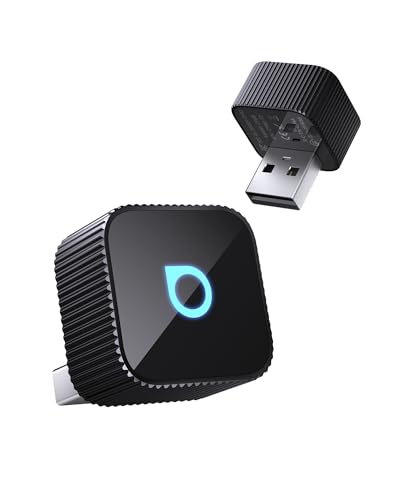
The Mini Ultra 3 is the smallest unit in this group at roughly 25mm on each side, so it disappears into the port. It handles both wired CarPlay and wired Android Auto cars and keeps the native microphone, touchscreen and steering wheel controls. Pairing is one time, then it reconnects to the last phone on each start.
Dimensions24.98 x 24.98 x 22.35 mm
Power draw0.75W
Phone supportiPhone 6+ (iOS 10+), Android 11+
Operating range-20C to 60C
Pros
- Covers both CarPlay and Android Auto cars
- Very compact and low power draw
- OTA firmware updates
Cons
- Not compatible with BMW or Tesla
- No video streaming apps
Check price on Amazon ›
Ottocast quotes a 10 second first connection and a 5 second auto reconnect, backed by 5GHz Wi-Fi and Bluetooth 4.2. It handles both CarPlay and Android Auto cars and ships with USB-A and Type-C ports. Multi-phone switching is built in, which suits a car with more than one regular driver.
Wireless5GHz Wi-Fi, Bluetooth 4.2
Connection time10 seconds, 5 second reconnect
PortsUSB-A and Type-C
Plug cycles tested50,000+
Pros
- Quick auto reconnect
- Easy switching between phones
- Includes both USB port types
Cons
- Not for BMW or Tesla
- Bluetooth 4.2 rather than a newer version
Check price on Amazon ›
The AAWireless Two is built strictly for cars with wired Android Auto and phones on Google's Android Auto compatible list running Android 11 or higher. It auto-connects over Bluetooth and Wi-Fi and adds a multifunction button for quick control. The brand cites more than 500,000 users.
SystemAndroid Auto only
Phone requirementAndroid 11+
ConnectionBluetooth and Wi-Fi auto connect
ExtraMultifunction button
Pros
- Large existing user base
- Physical multifunction button
- Simple plug and play setup
Cons
- No Apple CarPlay support
- Needs a phone on Google's compatibility list
Check price on Amazon ›
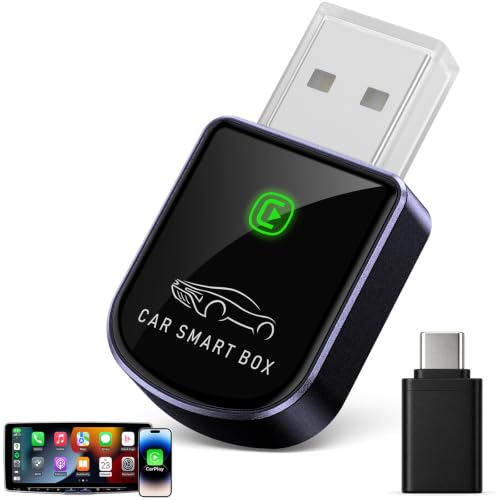
This one is CarPlay only and sits almost flush in the port, with a USB-A to USB-C adapter included. The 5.8GHz Wi-Fi, Bluetooth 5.3 and A7S chip are quoted at 5 to 10 seconds for the first connection and 3 seconds to reconnect. The maker reports 700+ hours of vibration testing and covers it with a one-year warranty plus lifetime firmware updates.
Wireless5.8GHz Wi-Fi, Bluetooth 5.3
ChipA7S
Phone supportiPhone, iOS 10+
Warranty1 year, lifetime firmware updates
Pros
- Very small footprint
- Quick 3 second reconnect
- Includes USB-C adapter cable
Cons
- iPhone only
- No Android Auto support
Check price on Amazon ›
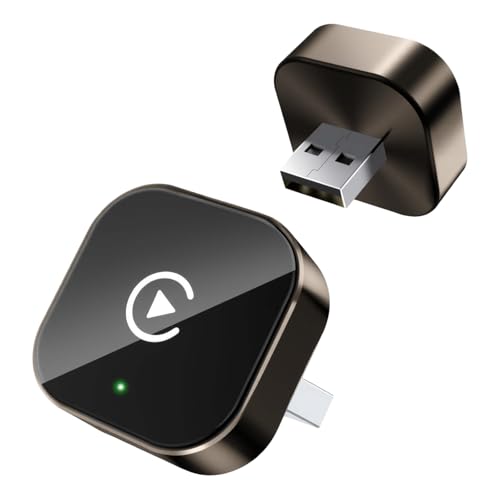
This 2-in-1 unit switches between iPhone and Android without swapping dongles, running dual-band 2.4GHz and 5.8GHz Wi-Fi with Bluetooth 5.4. The maker quotes a 3 second auto reconnect and support for 98% of vehicles with factory wired CarPlay or Android Auto. A USB-C adapter and USB-A extension cable are in the box.
Wireless2.4GHz and 5.8GHz Wi-Fi, Bluetooth 5.4
Phone supportiPhone 6+ (iOS 10+), Android 12+
Reconnect3 seconds
In the boxUSB-C adapter, USB-A extension cable
Pros
- Handles both phone platforms
- Bluetooth 5.4
- Extension cable aids placement
Cons
- Android 12+ required
- Newer model with a shorter track record
Check price on Amazon ›
Jemluse uses an aluminum alloy body and quotes 50,000+ tests on its cable and housing, with the metal helping heat dissipation. Inside, 5.8GHz Wi-Fi, Bluetooth 5.3 and an 8-core processor drive CarPlay for iPhone. It is rated from -20C to 70C, the widest temperature range here.
BodyAluminum alloy
Wireless5.8GHz Wi-Fi, Bluetooth 5.3
Processor8-core
Temperature range-20C to 70C
Pros
- Metal housing aids cooling
- Wide temperature rating
- iPhone support from iOS 10
Cons
- CarPlay only
- Requires a factory wired CarPlay car
Check price on Amazon ›
Luckyish targets cars from 2016 onward with factory CarPlay, using 2.4GHz and 5.8GHz dual-band Wi-Fi and Bluetooth 5.4. A multi-core processor is tuned to preserve original sound quality and keep steering wheel, knob and touchscreen controls working. Setup is the usual plug, pair, play, with a USB-C dongle included.
Wireless2.4GHz and 5.8GHz Wi-Fi, Bluetooth 5.4
Phone supportiPhone 6+ (iOS 10+)
ControlsSteering wheel, knobs, touchscreen
In the boxUSB-C dongle
Pros
- Dual-band Wi-Fi
- Keeps factory controls
- USB-C dongle included
Cons
- iPhone only
- Aimed at 2016+ vehicles
Check price on Amazon ›
Yizro keeps it to three steps: plug in, pair over Bluetooth, drive. Auto reconnect links to your phone as soon as the car starts, so nothing needs pressing each trip. It is listed for factory wired CarPlay vehicles covering 98% of the market, with iPhone support from iOS 10.
SetupPlug, pair, play
ReconnectAutomatic on car start
Phone supportiPhone, iOS 10+
Vehicle coverage98% of factory CarPlay systems
Pros
- Minimal setup steps
- Automatic reconnect
- Small dongle design
Cons
- CarPlay only
- Fewer published technical details
Check price on Amazon ›
The MA1 is described as the only USB adapter using Google-licensed bridge technology to make a wired Android Auto car wireless. It runs on 5GHz Wi-Fi and needs an Android 11+ phone with a data plan and 5GHz support. The setup button press is longer than most, about 35 seconds for the first pairing.
SystemAndroid Auto only
Wireless5GHz Wi-Fi
Phone requirementAndroid 11+, 5GHz Wi-Fi, data plan
PortUSB Type-A
Pros
- Google-licensed bridge technology
- Works in cars, trucks and motorcycles with wired Android Auto
- 5GHz Wi-Fi link
Cons
- No Apple CarPlay support
- Longer initial pairing step
Check price on Amazon ›
What to look for
Confirm your car has wired CarPlay or Android Auto first
Every adapter here converts an existing wired connection, so the car must already have it from the factory. The Carlinkit listing notes most 2016 and newer models do, but check your trim and head unit before ordering. BMW and Tesla are called out as incompatible by two makers. No adapter in this group adds the feature to a car that never had it.
Match the adapter to your phone, not just the car
Several units are CarPlay only, including the Jemluse, Luckyish and the mini USB iPhone adapter. The AAWireless Two and the Motorola MA1 are Android Auto only. Only the Carlinkit, Ottocast and the 2-in-1 Marine Antennas model handle both, which matters in a household with mixed phones. Android version floors also differ, from 11 up to 12.
Think about how the car is shared
If more than one person drives, multi-phone switching and fast auto reconnect save daily friction. The Ottocast quotes a 5 second reconnect and easy phone switching, while the 2-in-1 unit quotes 3 seconds. For a single driver, the smaller CarPlay dongles fit more neatly and stay out of the way.
Weigh size, heat and mounting
Compact units like the Carlinkit hide in the port, while others ship with a USB-C adapter or extension cable for flexible placement. Metal housings such as the Jemluse aluminum body help with heat dissipation, and the Carlinkit is rated down to -20C for cold starts. A short extension cable also reduces strain on the port.
Frequently asked questions
Will a wireless adapter work in an older car?
Only if that car already has factory wired CarPlay or Android Auto. The Luckyish listing targets 2016 and newer vehicles, and the Carlinkit notes most 2016+ models have the wired feature. A car without it cannot be converted by any of these dongles.
Do these adapters work with both iPhone and Android?
Some do. The Carlinkit Mini Ultra 3, the Ottocast Mini Cube 3.0 and the 2-in-1 Marine Antennas model handle both systems. The Jemluse, Luckyish and the mini USB adapter are CarPlay only, while the AAWireless Two and Motorola MA1 are Android Auto only.
How long does the first connection take?
The Ottocast quotes 10 seconds for the first link and 5 seconds to reconnect. The mini USB iPhone adapter quotes 5 to 10 seconds initially and 3 seconds after that. The 2-in-1 unit also quotes a 3 second reconnect.
What Android version do I need?
It depends on the unit. The Carlinkit and AAWireless Two need Android 11 or higher, and the Motorola MA1 also requires Android 11 plus 5GHz Wi-Fi support. The 2-in-1 Marine Antennas model asks for Android 12 or later.
Can I still use my steering wheel buttons and microphone?
Yes on the models that say so. The Carlinkit retains steering wheel buttons, touchscreen, original microphone and sound system. Luckyish says its chipset preserves original sound quality and vehicle controls, and Jemluse keeps native controls too.
Will the connection drop on bumpy roads?
Stability varies by design. The mini USB iPhone adapter cites 700+ hours of vibration testing to reduce disconnects from cable bending or shifting. The Jemluse uses a metal body and an 8-core processor, and the Ottocast is tested for 50,000+ plug cycles.
Do these adapters support video apps like YouTube or Netflix?
The Carlinkit listing states there is no video streaming such as YouTube or Netflix. These adapters mirror the standard CarPlay or Android Auto interface, which is built around navigation, calls, messages and audio.
How do I set one up for the first time?
Most follow a plug, pair, play routine. The Ottocast lists three steps with no app needed, and Yizro uses the same pattern. The Motorola MA1 is the exception, requiring a button hold of about 35 seconds during first pairing.
The verdict
Carlinkit Wireless CarPlay & Android Auto...
9.2/10/10
For most drivers, the Carlinkit Mini Ultra 3 is the safest pick because it covers both CarPlay and Android Auto cars in a body small enough to vanish in the port. If fast reconnect across several phones matters more, the Ottocast Mini Cube 3.0 is the closer call, and Android-only owners should look hard at the AAWireless Two. Confirm your car has factory wired CarPlay or Android Auto before ordering anything here.
Check price on Amazon ›
Our top pick, secure checkout via Amazon
Note: Availability and specifications change often. Always confirm the current details on Amazon before buying.