USB C Monitors Best USB-C Monitors for Work, Play and Travel
P
By the Pickpedia Team
·7 picks compared
·Last verified November 2026
Affiliate disclosure: As an Amazon Associate, Pickpedia earns from qualifying purchases. Links on this page are paid links, and we may earn a commission at no extra cost to you. This never affects our picks or scores.
Quick answer
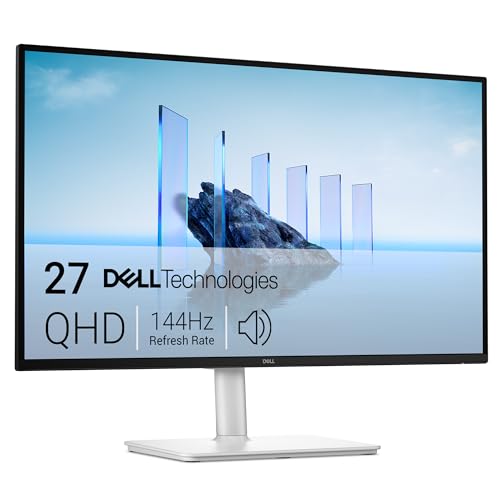
The Dell 27 Plus QHD USB-C Monitor leads our list for its 144Hz QHD panel, 65W USB-C charging and pop-out quick access port. The LG 27U631A-B is a strong IPS alternative, and the Samsung ViewFinity S6 S60UD adds 90W charging, a LAN port and daisy chain support.
Best USB-C Monitors for Work, Play and Travel at a glance
Why you can trust this guide
We compared these picks using verified manufacturer specifications, available manuals and documentation, current retailer listings, and patterns in owner feedback, alongside editorial research. We focus on measurable differences such as performance, capacity, usability, and build quality. Pickpedia does not present editorial research as laboratory testing, and we do not claim hands-on testing unless it was actually performed.
A USB-C monitor earns its place on a desk by replacing a tangle of cables with one connection for video, data and laptop charging. The seven models here all carry a USB-C port, but they split into clear groups: high refresh gaming panels, color-focused work screens, and compact office displays.
We compared the supplied specs on power delivery, refresh rate, panel type and stand adjustment so you can match a screen to the way you actually work. Some favor laptops that need a big charge, others favor smooth motion or a simpler desk setup.
Our top picks
This 27-inch QHD panel runs at 144Hz with 1ms MPRT and AMD FreeSync, so scrolling and fast motion stay clean. USB-C delivers up to 65W to a laptop, and a pop-out port adds USB-C at 15W plus USB-A for quick device charging. Dual 3W speakers and a four-way adjustable stand round it out.
Panel27-inch QHD 2560x1440
Refresh rate144Hz, 1ms MPRT
USB-C powerUp to 65W
Extras2 x 3W speakers, AMD FreeSync, height/tilt/pivot/swivel
Pros
- 144Hz QHD with FreeSync suits work and gaming
- 65W USB-C charging plus a pop-out 15W USB-C port
- Height, tilt, pivot and swivel adjustment
Cons
- Ash white finish will not suit every desk
- Speakers are 3W per channel
Check price on Amazon ›
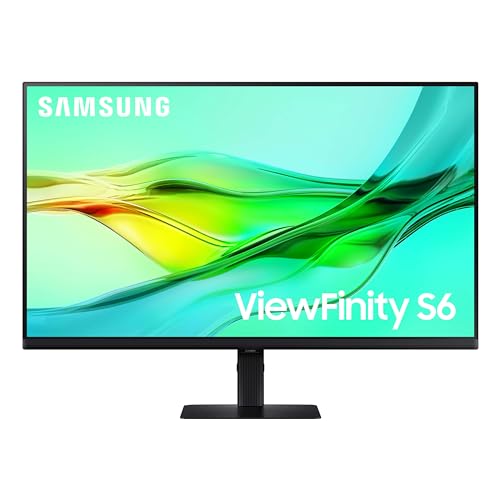
The S60UD pairs QHD resolution with a 100Hz refresh rate and HDR10, and its USB-C port pushes up to 90W while carrying data. A built-in LAN port and KVM switch let one keyboard and mouse drive two sources, and daisy chain support expands the workspace to a second screen.
Panel24-inch QHD 2560x1440
Refresh rate100Hz
USB-C powerUp to 90W
ExtrasBuilt-in LAN, KVM switch, daisy chain, height-adjustable pivot stand
Pros
- 90W USB-C charging covers most laptops
- Built-in LAN port and KVM switch simplify a dual-source desk
- Daisy chain support for a second monitor
Cons
- 24-inch size is compact for QHD multitasking
- 100Hz is below gaming-focused panels
Check price on Amazon ›
A 27-inch SuperSpeed IPS QHD panel with Quantum Dot covers 99% DCI-P3 and runs at 200Hz, overclockable to 210Hz, with 1ms GTG. AMD FreeSync Premium and G-Sync compatibility keep motion tear-free, and a Type-C port plus KVM switch handle laptop duty.
Panel27-inch QHD SuperSpeed IPS, Quantum Dot
Refresh rate200Hz, 210Hz OC, 1ms GTG
Color99% DCI-P3, 99% Adobe RGB, 8-bit
ExtrasType-C, KVM, VESA DisplayHDR 400, height and tilt adjustable
Pros
- 200Hz refresh with 1ms GTG for fast games
- Wide DCI-P3 and Adobe RGB coverage
- Type-C and KVM switch for mixed work and play
Cons
- 1000:1 contrast is modest for a gaming panel
- No USB-C power delivery figure stated
Check price on Amazon ›
Calibrated for MacBook with a P3 wide color gamut, this 27-inch 4K screen targets photo and video work. Two USB-C ports deliver 90W to a MacBook and 15W to an iPad or iPhone, and the stand adjusts for height and tilt.
Panel27-inch 4K 3840x2160
ColorP3 wide color gamut, Mac color match
USB-C power90W to laptop, 15W second port
Extras2 HDMI, 2 USB-C, USB hub, height and tilt stand
Pros
- 4K resolution for sharp text and detail
- Dual USB-C ports with 90W and 15W delivery
- Color tuned for MacBook displays
Cons
- Stand adjusts for height and tilt only
- Mac-focused tuning is the headline feature
Check price on Amazon ›
LG's 27-inch QHD IPS panel gives wide viewing angles with HDR10 and up to 99% sRGB coverage. A 100Hz refresh rate and 5ms response keep motion fluid, and USB Type-C with 15W power delivery connects and charges a laptop. The Switch app splits the screen into up to six sections.
Panel27-inch QHD IPS 2560x1440
Refresh rate100Hz, 5ms GTG
ColorHDR10, up to 99% sRGB
ExtrasUSB Type-C 15W PD, HDMI, Reader Mode, Flicker Safe, Switch app
Pros
- IPS panel with wide viewing angles
- Switch app splits the screen into up to six sections
- Reader Mode and Flicker Safe for long sessions
Cons
- 15W USB-C delivery will not fast-charge a laptop
- 5ms response is slower than gaming panels
Check price on Amazon ›
This 27-inch Full HD IPS monitor runs at 120Hz with 1ms response and AdaptiveSync, covering 99% sRGB. USB-C delivers up to 90W to a laptop, and the ZeroFrame design keeps multi-monitor arrays nearly seamless. An ergonomic stand, speakers and VESA mounting round it out.
Panel27-inch Full HD 1920x1080 IPS
Refresh rate120Hz, 1ms, AdaptiveSync
USB-C powerUp to 90W
Extras99% sRGB, HDMI, DisplayPort, ergo stand, speakers, VESA, BlueLight filter
Pros
- 90W USB-C charging for laptops
- 120Hz with AdaptiveSync and 1ms response
- ZeroFrame design suits multi-monitor setups
Cons
- Full HD resolution on a 27-inch panel
- No QHD option in this model
Check price on Amazon ›
A 24-inch Full HD IPS panel at 120Hz with 1ms response and 300 nits, built for everyday work and streaming. USB-C, HDMI and VGA cover laptops, PCs and Macs, and Variable Refresh Rate smooths scrolling and video. Dual speakers and a frameless design keep the setup tidy.
Panel24-inch Full HD 1920x1080 IPS
Refresh rate120Hz, 1ms
Brightness300 nits
ExtrasUSB-C, HDMI, VGA, dual speakers, Variable Refresh Rate, frameless
Pros
- Compact 24-inch footprint for small desks
- 120Hz with Variable Refresh Rate
- USB-C, HDMI and VGA inputs
Cons
- Full HD only
- No USB-C power delivery figure stated
Check price on Amazon ›
What to look for
What a USB-C port actually does on a monitor
A USB-C port carries video and data over one cable, and many models also send power back to a laptop. On the Dell S2725DC that figure is up to 65W, while the Samsung S60UD and Acer CB272 reach 90W and the BenQ MA270U delivers 90W. Higher wattage means fewer chargers on the desk.
Refresh rate and panel type by use case
Office work benefits from a 100Hz or 120Hz panel, which makes scrolling and cursor movement feel smoother. The LG 27U631A-B and Samsung S60UD sit at 100Hz, while the Dell S2725DC and Acer CB272 reach 120Hz or more. The GIGABYTE M27Q2 pushes to 200Hz for competitive games.
Matching the stand and size to your desk
Height, tilt, pivot and swivel adjustment appear on the Dell S2725DC, Samsung S60UD and BenQ MA270U, which helps when you share a screen or switch between sitting and standing. A 24-inch panel like the Samsung S60UD or ViewSonic VA2448-MHU fits tighter spaces, while 27-inch models give more room for split windows.
Ports, hubs and multi-device setups
Count the ports you need before choosing. The Samsung S60UD adds a built-in LAN port, a KVM switch and daisy chain support, and the GIGABYTE M27Q2 also includes a KVM switch. The BenQ MA270U offers two HDMI and two USB-C ports plus a USB hub for peripherals.
Frequently asked questions
Can a USB-C monitor charge my laptop while displaying video?
Yes, on models that specify power delivery. The Dell S2725DC sends up to 65W, the Samsung S60UD and Acer CB272 send up to 90W, and the BenQ MA270U sends 90W to a laptop plus 15W to a second device.
Is a high refresh rate worth it for office work?
A 100Hz or 120Hz panel makes scrolling and window movement look smoother, which helps during long work sessions. The LG 27U631A-B and Samsung S60UD run at 100Hz, and the Dell S2725DC and Acer CB272 go higher.
Which USB-C monitor suits a MacBook?
The BenQ MA270U is calibrated for MacBook with a P3 wide color gamut and dual USB-C ports. The LG 27U631A-B also connects over USB Type-C with 15W delivery for lighter charging needs.
How do I compare USB-C monitors for a home office?
Check panel resolution, refresh rate, USB-C wattage and stand adjustment together. A 27-inch QHD screen like the Dell S2725DC balances detail and motion, while the Acer CB272 trades resolution for 90W charging.
What does a KVM switch add to a USB-C monitor?
A KVM switch lets one keyboard and mouse control two connected sources. The Samsung S60UD and GIGABYTE M27Q2 both include one, which suits a desk shared between a work laptop and a personal computer.
Can I daisy chain two monitors from one USB-C connection?
The Samsung S60UD supports daisy chaining two monitors together, which expands the workspace without running a second cable back to the laptop. Check that your laptop supports the same display standard before relying on it.
Should I pick a 24-inch or 27-inch USB-C monitor?
A 24-inch panel fits narrow desks and second-screen duty, as on the Samsung S60UD and ViewSonic VA2448-MHU. A 27-inch model such as the Dell S2725DC or LG 27U631A-B gives more room for split windows and QHD detail.
Do these monitors include speakers?
The Dell S2725DC has dual 3W speakers, the Acer CB272 includes speakers, and the ViewSonic VA2448-MHU has dual speakers. Other models rely on external audio.
The verdict
Dell 27 Plus QHD USB-C Monitor
9.4/10/10
The Dell 27 Plus S2725DC is the pick for most desks, pairing 144Hz QHD with 65W USB-C charging and a pop-out port. Choose the Samsung S60UD for 90W charging, LAN and daisy chain, the GIGABYTE M27Q2 for 200Hz gaming, or the BenQ MA270U for MacBook color work.
Check price on Amazon ›
Our top pick, secure checkout via Amazon
Note: Availability and specifications change often. Always confirm the current details on Amazon before buying.