SD Card Readers Best SD Card Readers: Anker and 8 Rivals Compared
P
By the Pickpedia Team
·9 picks compared
·Last verified November 2026
Affiliate disclosure: As an Amazon Associate, Pickpedia earns from qualifying purchases. Links on this page are paid links, and we may earn a commission at no extra cost to you. This never affects our picks or scores.
Quick answer
The Anker SD Card Reader is our top pick for most people, thanks to dual SD and microSD slots and USB 3.0 speeds up to 5Gbps. For UHS-II card owners, the UGREEN USB C SD 4.0 reader and the SABRENT CR-CSDM both reach up to 312MB/s.
Best SD Card Readers: Anker and 8 Rivals Compared at a glance
Why you can trust this guide
We compared these picks using verified manufacturer specifications, available manuals and documentation, current retailer listings, and patterns in owner feedback, alongside editorial research. We focus on measurable differences such as performance, capacity, usability, and build quality. Pickpedia does not present editorial research as laboratory testing, and we do not claim hands-on testing unless it was actually performed.
An SD card reader is the small bridge between your camera card and your computer. The right one moves a full card of photos in seconds, while a slow one turns a simple offload into a coffee break. The biggest fork in the road is card type: UHS-I cards work in almost any reader, but UHS-II cards only hit their rated speeds in a UHS-II reader.
We compared connector type, slot count, transfer standard and card compatibility across nine readers. Some are built for UHS-II speed, some favor portability, and a few target USB-C phones and tablets. Match the reader to your cards and ports first, then pick the extras you actually need, such as simultaneous dual-card reading or a pass-through charging port.
Our top picks
A simple two-slot reader that covers SD and microSD in one small body. USB 3.0 delivers up to 5Gbps and works with USB 2.0 and 1.1 ports. No drivers are needed on Windows 10, 8, 7, Vista or Mac OS X 10.2 and above.
SlotsSD and microSD (TF)
InterfaceUSB 3.0, up to 5Gbps
Backward compatibleUSB 2.0 and 1.1
Driver supportNone required on listed systems
Pros
- Dual slots in one compact reader
- Up to 5Gbps over USB 3.0
- Works without drivers on Windows and Mac
Cons
- USB-A connector only
- UHS-I class, not UHS-II
Check price on Amazon ›
Built for SD 4.0 UHS-II cards, with read speeds up to 312MB/s, which UGREEN lists as three times faster than ordinary UHS-I readers. It carries a UHS-II SD slot and a UHS-II TF slot and can read and write both cards at once. Plug and play on most laptops, tablets and USB-C phones, though Android phones need OTG support.
Max speedUp to 312MB/s
SlotsUHS-II SD and UHS-II TF
Card supportSD, SDHC, SDXC, microSD, microSDHC, microSDXC, MMC RS-MMC
SetupDriver free, OTG needed on Android
Pros
- Up to 312MB/s for SD 4.0 UHS-II cards
- Transfers between two cards at once
- Covers a wide range of card formats
Cons
- Android phones need OTG support
- Full speed depends on UHS-II cards
Check price on Amazon ›
A dual-slot UHS-II reader with speeds up to 312MBps and simultaneous transfers through each slot. The integrated 6 inch USB 3.2 Gen1 Type-C cable supports 5Gbps to the host and needs no separate power supply. Plug and play on Windows 8 and later and macOS 12 and later.
Max speedUp to 312MBps
SlotsUHS-II SDXC and microSDXC
CableIntegrated 6 inch USB 3.2 Gen1 Type-C
SystemsWindows 8+, macOS 12+
Pros
- Fast 312MBps transfers on both slots
- Attached cable, no extra power needed
- Backward compatible with older SD cards
Cons
- Type-C host connection only
- Speed limits apply to older cards
Check price on Amazon ›
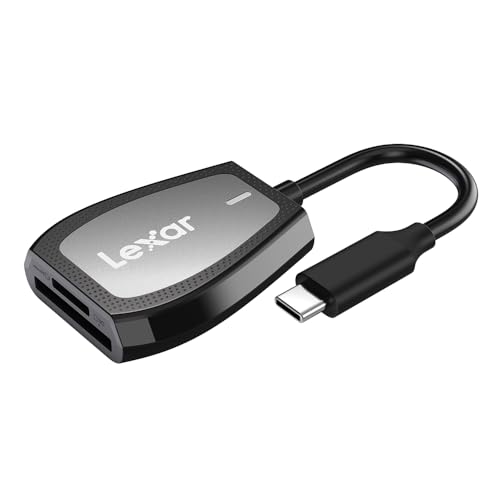
A compact dual-slot reader with read speeds up to 312MB/s over USB 3.2 Gen1 Type-C. It stays backward compatible with UHS-I SD and microSD cards at up to 170MB/s. An LED activity indicator shows when a transfer is underway, and it also works in USB 2.0 ports.
Max read speedUp to 312MB/s
InterfaceUSB 3.2 Gen1 Type-C
UHS-I cardsUp to 170MB/s
ExtrasLED activity indicator
Pros
- Compact dual-slot design
- Handles both UHS-II and UHS-I cards
- LED shows transfer activity
Cons
- UHS-I cards capped at 170MB/s
- No simultaneous dual-card mention
Check price on Amazon ›
A compact Type-A reader aimed squarely at microSD cards. It reaches up to 200MB/s read and 150MB/s write when paired with PNY PRO Elite Prime microSD cards. It suits USB 3.2 Gen 1 and USB 3.0 computers and steps down to USB 2.0 speeds on older ports.
Max readUp to 200MB/s
Max writeUp to 150MB/s
ConnectorUSB Type-A
CompatibilityUSB 3.2 Gen 1, USB 3.0, USB 2.0
Pros
- Quick offloads of 4K video and photos
- Small enough to pocket
- Works with PC and Mac
Cons
- microSD only, no full-size SD slot
- Top speeds need PNY PRO Elite Prime cards
Check price on Amazon ›
A reader that carries both USB 3.2 and USB-C connectors, so it fits modern and legacy ports without an adapter. It is listed as compatible with Windows, macOS, ChromeOS, iPadOS, Android and iOS devices, including the iPhone 15 series with a USB-C port.
ConnectorsUSB 3.2 and USB-C
SystemsWindows, macOS, ChromeOS, iPadOS, Android, iOS
Phone supportiPhone 15 series with USB-C
Pros
- Two connector types built in
- Broad operating system support
- Covers phones and tablets as well as computers
Cons
- Card slot formats not detailed
- Speed rating not stated
Check price on Amazon ›
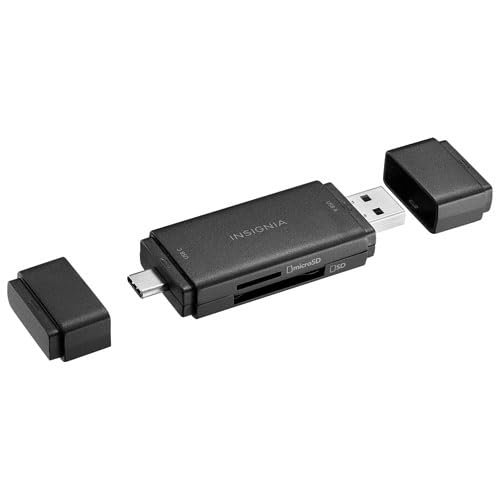
A flash-drive style reader with a USB-C connector on one side and USB-A on the other, both with protective caps. It handles SD/MMC and microSD/TF cards with SD 3.01 and UHS-I support over USB 3.2/3.1 Gen 1 at 5Gbps. It is OS independent across Windows, macOS, Linux, Chrome OS, iPad OS and Android.
SlotsSD/MMC and microSD/TF
InterfaceUSB 3.2/3.1 Gen 1, 5Gbps
Card standardSD 3.01 and UHS-I
Size2.9 x 0.8 x 0.4 in
Pros
- Both USB-C and USB-A connectors
- Protective caps and activity LED
- Works across many operating systems
Cons
- UHS-I only, no UHS-II speeds
- SD slot does not support write protection
Check price on Amazon ›
A 4-in-1 USB-C reader with SD and TF 3.0 slots that read at up to 104MB/s and work at the same time. It attaches magnetically and adds a 100W PD pass-through port for charging while you read cards. ProRes video from iPhone 17, 16 and 15 Pro models can be saved straight to a card, at 1080P when recording externally.
Max card speedUp to 104MB/s
SlotsSD and TF 3.0, dual read
Charging100W PD pass-through
Card supportSD, SDHC, SDXC, microSD, microSDHC, microSDXC
Pros
- Magnetic mount for phone use
- 100W PD charging while transferring
- Direct ProRes saving on iPhone Pro models
Cons
- Card slots top out at 104MB/s
- Older iPhones need an OTG adapter
Check price on Amazon ›
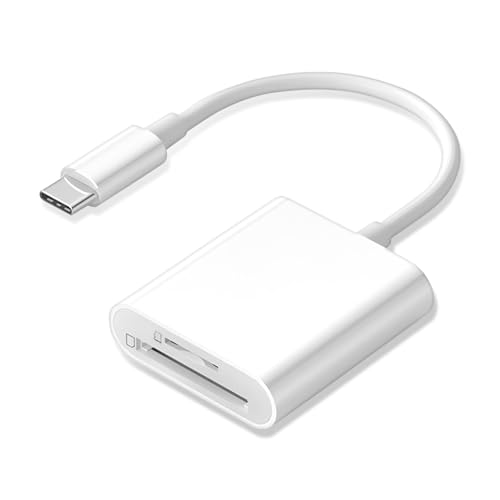
A two-slot USB-C reader for SD, SDHC, SDXC, microSD, microSDHC and microSDXC cards. It is aimed at moving photos and video from a card to an iPhone, iPad, Mac or camera, then sharing them. The listing covers iPhone 15 and 16 models, several iPad generations and MacBook Pro and MacBook Air years.
SlotsSD and microSD, 2 slots
Card supportSD, SDHC, SDXC, microSD, microSDHC, microSDXC
ConnectorUSB-C
SetupPlug and play, OTG support needed
Pros
- Straightforward plug and play use
- Covers both SD and microSD
- Fits many iPhone, iPad and Mac models
Cons
- Requires OTG support on the host
- No speed rating stated
Check price on Amazon ›
What to look for
What an SD card reader actually does
A reader connects a memory card to a computer, phone or tablet so you can copy files off it. The card slot and the host connector are the two ends that matter. A reader that matches your card standard and your port will always beat a faster reader that needs an adapter.
Match the reader to your card standard
UHS-I cards work in nearly every reader, but UHS-II cards only reach their rated speeds in a UHS-II reader. The UGREEN, SABRENT and Lexar readers list speeds up to 312MB/s for UHS-II cards. If your cards are UHS-I, a reader like the Anker covers you at up to 5Gbps.
Pick your connector before anything else
USB-A readers suit older laptops and desktops, while USB-C readers fit newer MacBooks, iPads and phones. Some readers, like the StarTech and Insignia models, carry both connector types. Check whether your phone needs OTG support, since several USB-C readers require it on Android.
Extras worth having
Simultaneous dual-card reading lets you copy between an SD and a microSD card without swapping, which the UGREEN and SABRENT readers support. A pass-through charging port on the ORICO keeps a phone topped up during transfers. An activity LED, found on the Lexar and StarTech readers, confirms a transfer is running.
Frequently asked questions
What should I look for in an SD card reader?
Start with the card standard and the host port. A UHS-II card needs a UHS-II reader to reach its rated speed, and a USB-C laptop needs a USB-C reader or an adapter. Dual slots help if you shoot both full-size SD and microSD.
Do I need a UHS-II reader for UHS-II cards?
Yes, if you want the higher speeds. The UGREEN, SABRENT and Lexar readers list up to 312MB/s for UHS-II cards, while UHS-I readers fall back to lower speeds. UHS-I cards still work in a UHS-II reader.
Will an SD card reader work with my phone?
Many USB-C readers work with recent phones, but Android devices usually need OTG support. The ORICO reader lists iPhone 17, 16 and 15 Pro models, and older iPhones need an OTG-compatible adapter. Check the compatibility list before you connect.
Can I read two cards at the same time?
Some readers allow it. The UGREEN reader reads and writes both slots at once, and the SABRENT reader transfers through each slot simultaneously. The ORICO reader also lists dual-card simultaneous reading.
Do these readers need drivers?
Most do not. The Anker reader needs no drivers on Windows 10, 8, 7, Vista or Mac OS X 10.2 and above, and the SABRENT and StarTech readers are plug and play. That keeps setup simple on a new machine.
Which reader is best for copying ProRes video from an iPhone?
The ORICO magnetic reader is built for it, saving ProRes video from iPhone 17, 16 and 15 Pro models straight to an SD or TF card. It notes that you should select 1080P resolution when recording ProRes externally because of card slot speed limits.
Is a USB-A or USB-C reader better?
It depends on your ports. USB-A suits older laptops and desktops, while USB-C fits newer MacBooks, iPads and phones. A reader with both connectors, such as the StarTech model, covers either machine without an adapter.
What do the speeds in the listings mean?
They describe the fastest transfer the reader lists, usually with matching cards. The Anker reader lists up to 5Gbps over USB 3.0, the PNY reader lists up to 200MB/s read with PNY PRO Elite Prime microSD cards, and the UHS-II readers list up to 312MB/s.
The verdict
Anker SD Card Reader
9.2/10/10
The Anker SD Card Reader earns our top spot for its dual slots, 5Gbps USB 3.0 transfer and driver-free setup on Windows and Mac. If you shoot UHS-II cards, step up to the UGREEN or SABRENT reader for up to 312MB/s. Phone-first workflows point to the ORICO magnetic reader, and the StarTech model covers anyone switching between USB-A and USB-C machines.
Check price on Amazon ›
Our top pick, secure checkout via Amazon
Note: Availability and specifications change often. Always confirm the current details on Amazon before buying.