Gaming Ethernet Adapters Best Gaming Ethernet Adapters for Wired Play
P
By the Pickpedia Team
·9 picks compared
·Last verified November 2026
Affiliate disclosure: As an Amazon Associate, Pickpedia earns from qualifying purchases. Links on this page are paid links, and we may earn a commission at no extra cost to you. This never affects our picks or scores.
Quick answer
The UGREEN USB to Ethernet Adapter 2.5Gb is the top pick, built on the RTL8156BG chip with a 2.5Gb ceiling. For USB-C laptops the Anker PowerExpand USB-C to Gigabit fits, and the Plugable USB 3.0 to Gigabit suits desktops and docked Switch play.
Best Gaming Ethernet Adapters for Wired Play at a glance
Why you can trust this guide
We compared these picks using verified manufacturer specifications, available manuals and documentation, current retailer listings, and patterns in owner feedback, alongside editorial research. We focus on measurable differences such as performance, capacity, usability, and build quality. Pickpedia does not present editorial research as laboratory testing, and we do not claim hands-on testing unless it was actually performed.
Wi-Fi jitter ruins a good match. A wired adapter fixes that by handing your laptop or desktop a real RJ45 port, and the current crop runs from basic Gigabit dongles up to 5Gbps models built for NAS transfers and large downloads.
We compared the supplied specs across chipsets, USB generations and console support. Speed ceilings matter, but so does the port on your machine, since a 5Gbps adapter needs a 10Gbps USB port to reach its full rating. Below is the ranking we would hand a shopper.
Our top picks
This aluminum dongle pairs an RTL8156BG chip with USB 3.0 and pushes up to 2.5Gb when your router or switch supports it. UGREEN notes the chip keeps power draw and heat low at full speed. It is built for modern USB laptops that dropped the Ethernet port.
SpeedUp to 2.5Gb
ChipsetRealtek RTL8156BG
InterfaceUSB 3.0 to RJ45
HousingAluminum
Pros
- 2.5Gb ceiling doubles Gigabit headroom
- Low-power Realtek chip keeps heat down
- Works with MacBook, XPS, iMac and Mac Mini
Cons
- Not compatible with all Nintendo Switch units
- Full speed needs a 2.5Gb router or switch
Check price on Amazon ›
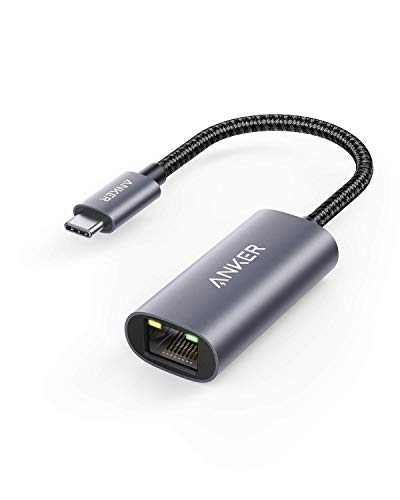
Anker's PowerExpand dongle runs up to 1 Gbps over USB-C 3.0 and covers Thunderbolt 4/3 machines. Compatibility stretches to MacBook Pro and Air, XPS, iPad and Steam Deck. It is the simple choice when your machine only has USB-C.
SpeedUp to 1 Gbps
InterfaceUSB-C to RJ45
Thunderbolt4/3 compatible
Warranty18 months
Pros
- Native fit for USB-C only laptops
- Steam Deck and iPad listed as compatible
- Compact enough for a bag pocket
Cons
- Capped at Gigabit
- No USB-A option in the box
Check price on Amazon ›
Plugable uses the ASIX AX88179B chip for Gigabit over USB 3.0 and lists Nintendo Switch docked mode support. Drivers install automatically through Windows Update, and macOS 11 and newer gets built-in support. Energy Efficient Ethernet and jumbo frames are included.
SpeedUp to 1 Gbps
ChipsetASIX AX88179B
Switch supportDocked mode
FeaturesJumbo frame, VLAN tagging, checksum offload
Pros
- Explicit docked Switch support
- Automatic driver install on Windows
- Broad OS list including Chrome OS
Cons
- Not compatible with Smart TVs
- Gigabit ceiling only
Check price on Amazon ›
Sabrent's NT-C5GA auto-negotiates at 5GbE, 2.5GbE, 1GbE or 100Mbps and uses the Realtek RTL8157CG controller. The aluminum shell acts as a heatsink during long transfers, and LEDs show 5GbE in green. Full 5Gbps needs a USB 3.2 Gen 2 port and CAT6a cable.
Speed5GbE, 2.5GbE, 1GbE, 100Mbps
ChipsetRealtek RTL8157CG
InterfaceUSB-C to RJ45
HousingAluminum
Pros
- Multi-gig auto-negotiation down to 100Mbps
- Aluminum body doubles as a heatsink
- Driver-free on Windows 10/11 and macOS
Cons
- Needs a 10Gbps USB-C port for full speed
- No WiFi or cellular function
Check price on Amazon ›
BrosTrend brings 5Gbps over USB-A, roughly five times Gigabit, and stays backward compatible with 2.5Gbps and 1Gbps networks. The braided cable and aluminum housing are built for travel and daily desk use. Expect around 3.5Gbps on a 5Gbps USB-A port.
SpeedUp to 5Gbps
InterfaceUSB-A to RJ45
HousingAluminum, braided cable
OS supportWindows 11/10, Linux, macOS 14.5+, ChromeOS
Pros
- High ceiling on a standard USB-A port
- Braided cable and aluminum shell
- Backward compatible with slower networks
Cons
- Not compatible with consoles or Smart TVs
- Full speed needs a 10Gbps USB-A port
Check price on Amazon ›
The USB31000S uses the ASIX AX88179A chipset and covers Windows 7 and up, Windows Server, macOS 10.14 and up, and Linux kernel 4.11 and up. Status and activity LEDs and Wake on LAN help on a desk setup. It is TAA compliant and bus powered.
Speed10/100/1000 Mbps
ChipsetASIX AX88179A
Frames4K jumbo frames
ExtrasWake on LAN, VLAN tagging, Auto-MDIX
Pros
- Wide OS list including Windows Server
- Status and activity LEDs
- TAA compliant
Cons
- Gigabit ceiling
- USB-A connector only
Check price on Amazon ›
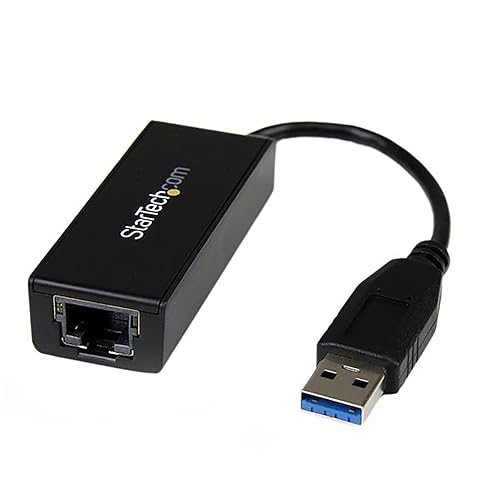
This black dongle connects a USB 3.0 device to a router, modem or switch at Gigabit speeds. Wake-on-LAN and Energy Efficient Ethernet are supported, along with checksum offload to ease CPU load. It works with Windows 8.1 or higher and Mac OS.
Speed10/100/1000 Mbps
InterfaceUSB 3.0 to RJ45
FeaturesWake-on-LAN, EEE, checksum offload
OS supportWindows 8.1+, Mac OS
Pros
- Checksum offload reduces CPU load
- Wake-on-LAN support
- Plain plug-in setup
Cons
- Does not support Smart TVs or consoles
- No high-speed multi-gig mode
Check price on Amazon ›
BENFEI ships both USB-A and USB-C connectors in one adapter with an aluminum shell and nylon cable. It handles 10/100/1000Mbps over a 5Gbps USB bus and adds link and activity LEDs. Wake-on-LAN, full duplex and Auto-MDIX are supported.
Speed10/100/1000 Mbps
ConnectorsUSB-A and USB-C
ShellAluminum with nylon cable
Warranty18 months
Pros
- Two connector types in one unit
- Driver-free on Chrome, Mac and Windows
- 18-month warranty
Cons
- Not compatible with Nintendo Switch
- Does not support Windows RT
Check price on Amazon ›
Insignia's adapter delivers a wired connection to USB 3.0 devices at speeds up to 1Gbps. It is backward compatible with USB 2.0 hardware, which helps on older machines. Plug-and-play setup keeps it simple.
SpeedUp to 1 Gbps
InterfaceUSB 3.0 to RJ45
Backward compatibilityUSB 2.0
ColorSilver black
Pros
- Plug-and-play setup
- Works with older USB 2.0 devices
- Simple single-port design
Cons
- Gigabit ceiling
- Fewer advanced features listed
Check price on Amazon ›
What to look for
What an adapter actually changes
A USB Ethernet adapter adds a wired RJ45 port to a machine that lacks one. Wired links skip the interference and jitter that hit Wi-Fi during online matches. The chipset inside does the heavy lifting, so Realtek and ASIX parts come up often in spec sheets. Match the adapter to your router's top speed so you are not paying for headroom you cannot use.
USB-C versus USB-A connectors
USB-C models suit MacBook, XPS, iPad and Steam Deck owners, while USB-A dongles fit older desktops and laptops. Some adapters, like the BENFEI unit, include both connectors. Check whether your USB-C port carries data, since charge-only ports will not run a network adapter. Thunderbolt 4/3 ports work fine with USB-C adapters.
Speed tiers and what they need
Gigabit covers most online play, but 2.5Gb and 5Gbps models help with NAS transfers and large downloads. A 5Gbps adapter needs a 10Gbps USB port and CAT6a cabling to hit its rating. On a 5Gbps port, BrosTrend notes maximum speeds may land near 3.5Gbps. Your router or switch also has to support the same multi-gig rate.
Console and platform support
Not every adapter works with consoles. Plugable lists docked Nintendo Switch support, while UGREEN, BENFEI and BrosTrend state they are not compatible with all Switch units or with PlayStation and Xbox. Windows 10/11 and macOS usually run driver-free, and Linux needs a recent kernel for newer Realtek chips. Read the compatibility line before buying for a console.
Frequently asked questions
What should a beginner streamer look for in a gaming ethernet adapter?
Prioritize a stable chipset and a connector that matches your machine. The UGREEN 2.5Gb model pairs an RTL8156BG chip with USB 3.0, and the Anker USB-C dongle covers Thunderbolt laptops. A wired link removes the Wi-Fi drops that interrupt a stream.
Which adapter is best for low latency multiplayer gaming?
Gigabit is plenty for online matches, so the Plugable USB 3.0 adapter or the Anker USB-C model both do the job. Lower latency comes from the wired link itself rather than the speed ceiling. Choose the connector your machine uses and skip the rest.
Do these adapters work for console capture setups?
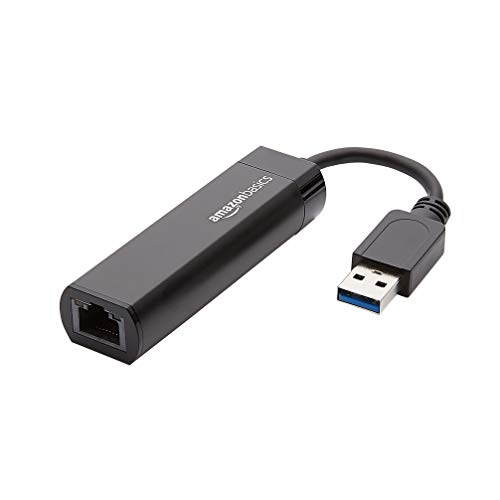
Only some do. Plugable lists Nintendo Switch docked mode support, while Amazon Basics, BENFEI and BrosTrend state they do not support consoles. Check the compatibility line for your exact console before you commit.
Is a USB-C adapter worth it for a small desk?
Yes, because a single short dongle replaces a bulky dock. The Anker PowerExpand is compact and runs up to 1 Gbps, and the Sabrent USB-C model is a slim aluminum unit. Both keep cable clutter down on a tight desk.
How do I choose between 2.5Gb and 5Gbps adapters?
Look at your router, switch and USB port. A 2.5Gb adapter like the UGREEN model needs 2.5Gb-capable gear, and 5Gbps models like Sabrent and BrosTrend need a 10Gbps USB port plus CAT6a cable. If your network is Gigabit, a 1 Gbps dongle is enough.
Does a plug-and-play adapter need drivers?
Most Windows 10/11 and macOS setups install drivers automatically. Plugable notes Windows Update handles installation, and Sabrent says to run Windows Update if the link is missing. Linux users need a kernel with a recent Realtek driver for the newest chips.
Will these adapters work with a Steam Deck?
Anker lists Steam Deck among compatible USB-C devices. The adapter needs a data-capable USB-C port, so a dock or hub with a free data port helps. Other models in this list focus on laptops and desktops.
What cables do I need to reach full speed?
BENFEI recommends CAT6 or better to reach 1Gbps, and Sabrent calls for CAT6a or better for full 5Gbps. A slow cable will hold back even a fast adapter. Keep the run short between the adapter and your router or switch.
The verdict
UGREEN USB to Ethernet Adapter 2.5Gb
9.2/10/10
Start with the UGREEN 2.5Gb adapter if your laptop lacks a port and your network has headroom. USB-C owners who want a tidy, reliable Gigabit link should take the Anker PowerExpand, and anyone gaming on a docked Switch should check the Plugable model first. Match the connector and speed tier to your gear, and the wired link will do the rest.
Check price on Amazon ›
Our top pick, secure checkout via Amazon
Note: Availability and specifications change often. Always confirm the current details on Amazon before buying.