Conference Webcams Best Conference Webcams for Meetings and Classrooms
P
By the Pickpedia Team
·9 picks compared
·Last verified November 2026
Affiliate disclosure: As an Amazon Associate, Pickpedia earns from qualifying purchases. Links on this page are paid links, and we may earn a commission at no extra cost to you. This never affects our picks or scores.
Quick answer
The Logitech MeetUp is our pick for most conference rooms, with a 4K sensor, 120 degree field of view, and beamforming mics. For a single desk, the Poly Studio P5 is simpler, while the NexiGo N990 adds pan, tilt, and zoom control for larger spaces.
Best Conference Webcams for Meetings and Classrooms at a glance
Why you can trust this guide
We compared these picks using verified manufacturer specifications, available manuals and documentation, current retailer listings, and patterns in owner feedback, alongside editorial research. We focus on measurable differences such as performance, capacity, usability, and build quality. Pickpedia does not present editorial research as laboratory testing, and we do not claim hands-on testing unless it was actually performed.
A conference webcam has to do more than show a face. It needs to frame a group, pick up voices across a table, and work with the software your team already uses. The cameras here range from a compact desk unit to a full room system with motorized pan and tilt.
We compared the supplied specs on resolution, field of view, microphone reach, mounting, and compatibility to sort these by the room they suit. Every score below is our own editorial judgement, not a customer rating.
Our top picks
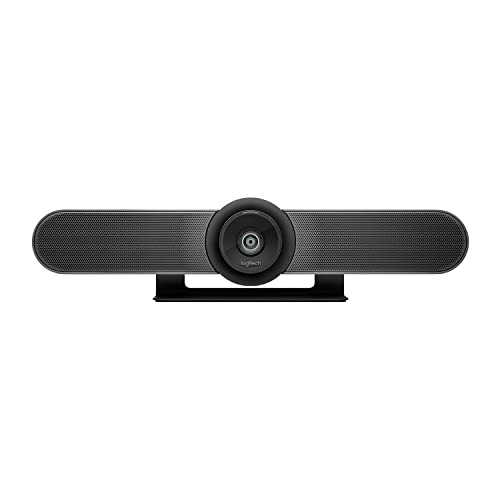
This is a room system rather than a clip-on webcam. The Ultra HD 4K sensor, 120 degree field of view, and 5x HD zoom cover a table of participants, and the motorized pan and tilt reach up to 170 degrees to show a whiteboard. Beamforming mics capture voices up to 4 m away, or 5 m with the optional Expansion Mic.
ResolutionUltra HD 4K
Field of view120 degrees
Zoom5x HD
Pan and tiltMotorized, up to 170 degrees
Pros
- Wide 120 degree view frames a full table
- Motorized pan and tilt reaches a whiteboard
- Beamforming mics pick up voices up to 4 m away
Cons
- Built for a fixed room, not for carrying between sites
- Larger footprint than a clip-on webcam
Check price on Amazon ›
The N990 pairs an 8.5 megapixel Sony sensor at 3840 x 2160 and 30 frames per second with real PTZ movement. Pan runs from -170 to +170 degrees and tilt from -35 to +85 degrees, and two position presets save your framing. A remote handles zoom, volume, and mirroring, and dual stereo mics with noise cancellation cover the audio.
Resolution3840 x 2160 at 30 fps
Sensor8.5 megapixel Sony sensor
Pan and tilt-170 to +170 degrees, -35 to +85 degrees
Zoom5x digital at 1080P
Pros
- Two presets save and recall PTZ positions
- Remote control works away from the desk
- 3.5mm audio jacks accept external mics
Cons
- Digital zoom rather than optical
- Wall or threaded mounting needed for some rooms
Check price on Amazon ›
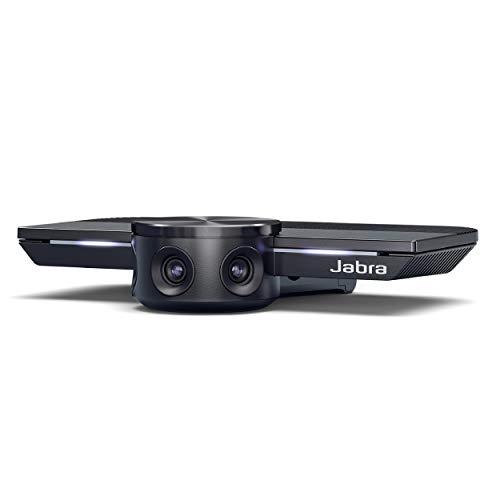
PanaCast uses three 13 MP cameras with real-time video stitching to produce a 180 degree panoramic 4K view. Setup is plug and play over USB, so a huddle room can be running in minutes. The box includes a USB-C cable and a tent card.
CamerasThree 13 MP cameras
Coverage180 degrees panoramic 4K
ConnectionUSB-C, plug and play
In the boxCamera, USB-C cable, tent card
Pros
- 180 degree view shows the whole room at once
- Real-time stitching across three cameras
- Plug and play over USB
Cons
- No motorized pan or tilt
- Panoramic framing may not suit a single presenter
Check price on Amazon ›
The Kiyo Pro Ultra puts a 1/1.2 inch Sony STARVIS 2 sensor with 2.9 micrometer pixels behind a custom F/1.7 aperture lens, which pulls in light for clear images in dim rooms. HDR at 30 FPS refines lighting and contrast, and the processor converts raw 4K 30 FPS into uncompressed 4K 24 FPS, 1440P 30 FPS, or 1080P 60 FPS for a live stream. A built-in mic and shutter round it out.
Sensor1/1.2 inch Sony STARVIS 2
Pixel size2.9 micrometers
LensF/1.7 aperture
OutputUncompressed 4K 24 FPS, 1440P 30 FPS, 1080P 60 FPS
Pros
- Large sensor and wide aperture suit low light
- HDR at 30 FPS balances dark and bright tones
- Built-in shutter for privacy
Cons
- Built for one person, not a room of participants
- No motorized pan or tilt
Check price on Amazon ›
The C10 combines a 90 degree 1080P camera, four noise-cancelling MEMS mics, and a speaker in one 384 gram unit. Full duplex audio lets people talk and listen at the same time, and automatic gain control holds volume up to 10 ft away. A folded USB-C cable and a hidden Type-C to USB-A adapter mean no driver or power adapter is needed.
Resolution1080P at 30 fps
Field of view90 degrees
Mics4 omnidirectional MEMS
Weight384 g
Pros
- Camera, mics, and speaker in one unit
- Touch buttons for camera, mute, and volume
- Status light ring shows current settings
Cons
- 1080P rather than 4K
- 90 degree view suits individuals and small teams
Check price on Amazon ›
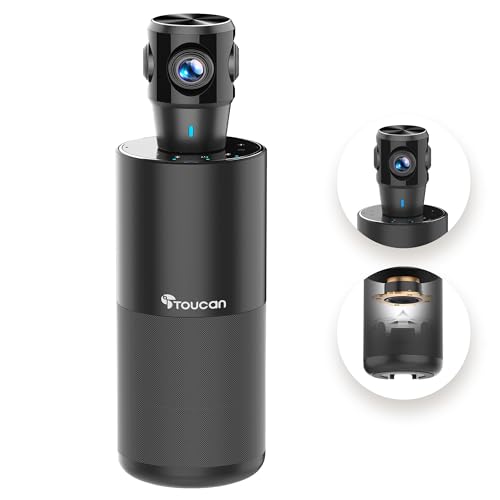
The TOUCAN shoots 360 degrees so participants anywhere in the office can show expressions and gestures. It adds four noise reduction mics, a speaker, and AI tracking, and works with Zoom, Google Voice, and Microsoft Teams on PC, Mac, or tablet. Plug and play setup includes a Type-C male to USB-A female OTG adapter.
Resolution1080p HD
Coverage360 degrees omni-directional
Mics4 noise reduction mics
ExtrasSpeaker, AI tracking, OTG adapter
Pros
- 360 degree view covers the whole room
- AI tracking follows the active speaker
- Includes OTG adapter for PC compatibility
Cons
- 1080p resolution
- 360 degree framing can look busy on a small call
Check price on Amazon ›
The P5 is a 1080p webcam tuned for video conferencing, with an 80 degree field of view that frames you without showing too much of the room. A directional microphone focuses on your voice over background noise, and automatic low-light technology keeps exposure steady. It mounts on a monitor or tripod and includes a privacy shutter, with Teams and Zoom certification.
Resolution1080p HD
Field of view80 degrees
MountingMonitor or tripod
CertificationTeams and Zoom certified
Pros
- 80 degree view frames one person cleanly
- Directional mic targets the speaker
- Privacy shutter and tripod mount
Cons
- Best for one person, not a group
- No pan, tilt, or zoom
Check price on Amazon ›
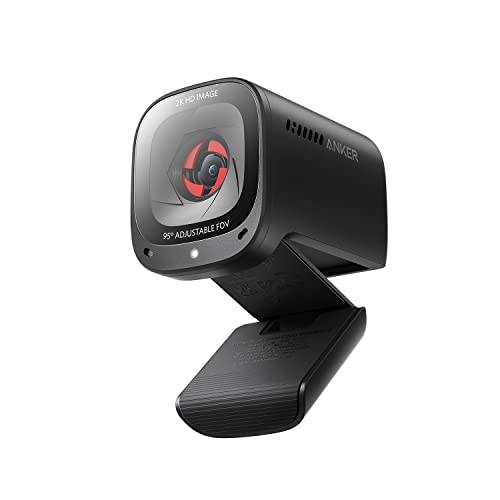
The C200 records in 2K and lets you switch between 65, 78, and 95 degree viewing angles in software to frame the shot. Low-light correction keeps the picture usable in a dim room, and it works with Windows 7 or later and macOS 10.11 or later.
Resolution2K
Viewing angles65, 78, or 95 degrees
Low lightCorrection applied
CompatibilityWindows 7 or later, macOS 10.11 or later
Pros
- Three software-selectable viewing angles
- 2K resolution for sharper detail
- Low-light correction
Cons
- No motorized pan or tilt
- Angle changes happen in software, not the hardware
Check price on Amazon ›
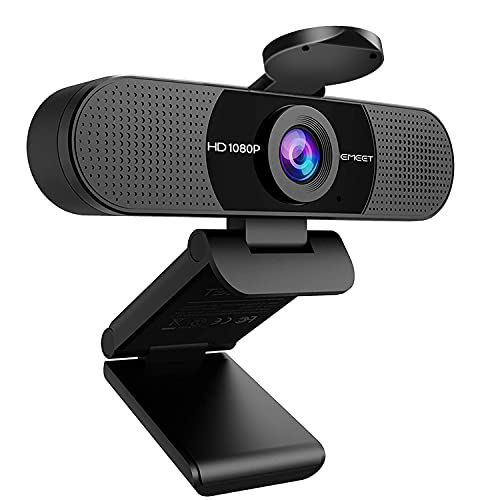
The C960 delivers 1920 x 1080p video through a 5-layer anti-glare lens with a fixed focal range of 11.8 to 118.1 inches. Two omnidirectional noise reduction mics filter background sound, and automatic low-light correction with color boost keeps you visible in dim or harsh light. It needs no driver and covers a 90 degree view.
Resolution1920 x 1080p
Field of view90 degrees
Mics2 omnidirectional noise reduction
Focal range11.8 to 118.1 inches
Pros
- Plug and play with no driver
- Cover for the lens when not in use
- Tripod-ready universal clip
Cons
- Fixed focal length
- Not compatible with Windows Hello
Check price on Amazon ›
What to look for
What a conference webcam needs to do
A conference webcam has to frame more than one face and pick up voices from across a table. Resolution and field of view decide how much of the room is visible, while microphone reach decides who gets heard. Check that the camera works with the software your team already runs before anything else.
Matching the camera to the room
A single desk is served well by an 80 degree lens that frames one person, like the Poly Studio P5. A table of participants needs a wider view, which is where 120 degree optics and motorized pan and tilt earn their place. For a huddle room, a 180 or 360 degree camera shows everyone without anyone shuffling into frame.
Audio and microphone pickup
Built-in mics vary widely in reach. Beamforming arrays in room systems capture voices several meters out, and some cameras accept an expansion mic for longer tables. Portable all-in-ones add a speaker and full duplex audio so people can talk and listen at once. Automatic gain control keeps volume steady as people move around.
Portability, mounting, and setup
Teams that move between rooms should look for a light unit with a folded cable and a hidden adapter, so no driver or power supply is needed. Fixed installs can use wall or threaded mounting and save position presets. Check the viewing angles and low-light correction if the room has bright windows or dim corners.
Frequently asked questions
How do I choose a conference webcam for classroom use?
Start with how many people need to be seen. A 90 degree lens covers an individual or a small group, while 120, 180, or 360 degree coverage suits a full class. Then check microphone reach and whether the camera runs on the software the classroom already uses.
Should I pick a conference webcam with adjustable angle for small meetings?
Yes, when the camera sits far from the table. Software-selectable angles like 65, 78, and 95 degrees let you tighten the frame, while motorized pan and tilt let you follow a speaker or show a whiteboard without moving the unit.
Is a portable conference webcam a good choice for small meetings?
A compact all-in-one with a camera, mics, and speaker travels easily between rooms and needs only a USB connection. The trade-off is usually resolution, since many portable units top out at 1080P rather than 4K.
What should I look for in a conference webcam with wireless connectivity?
Most conference cameras here connect over USB rather than wirelessly, so confirm the connection type before you commit. If cable runs are a problem, plan the USB routing first, since a stable wired link is the simplest path for a room system.
Which conference webcam combines easy cleaning and portable design?
Look for a unit with a flat, sealed body and few exposed openings, plus a lens cover. The NUROUM C10 and the EMEET C960 both carry a compact body and a lens cover, which makes wiping down between sessions straightforward.
What mistakes should I avoid when buying a conference webcam for remote teams?
Buying for one person when the whole team shares a room is the common error, as is choosing a narrow lens for a large table. Check software compatibility and microphone reach before ordering, and confirm how the camera mounts in each location.
What matters most when choosing a conference webcam for remote teams?
Field of view and audio pickup matter more than raw resolution for group calls. A 4K sensor helps, but a camera that frames the whole table and hears everyone clearly will do more for a meeting than extra pixels alone.
Do I need pan and tilt for online teaching?
It helps when you move between a desk and a board. A PTZ camera with saved presets can jump between a wide shot and a close view at the press of a button, which keeps students oriented without you adjusting the hardware by hand.
The verdict
Logitech MeetUp Video Conferencing System
9.4/10/10
For a room where a group meets, the Logitech MeetUp is the strongest choice, pairing a 4K 120 degree view with motorized pan and tilt and beamforming mics. The NexiGo N990 suits anyone who wants remote PTZ control, and the Poly Studio P5 keeps a single desk simple. Match the field of view and microphone reach to your room, and the rest follows.
Check price on Amazon ›
Our top pick, secure checkout via Amazon
Note: Availability and specifications change often. Always confirm the current details on Amazon before buying.